Hi, I recently posted a question for changing the width of a pricing table after the latest X Theme update (https://theme.co/apex/forum/t/change-width-of-pricing-table/12699). I’m not sure if there was another update, but my pricing tables have changed again. This time, it’s the length and the style has changed slightly as well. I want my original tables back. How can I fix this? The first picture is how it looks now when I try to edit the page. The second is how it was and that’s how I’d like it to stay.


Hi There,
Thanks for writing in! Upon checking, I see that it loads exactly as you wanted.
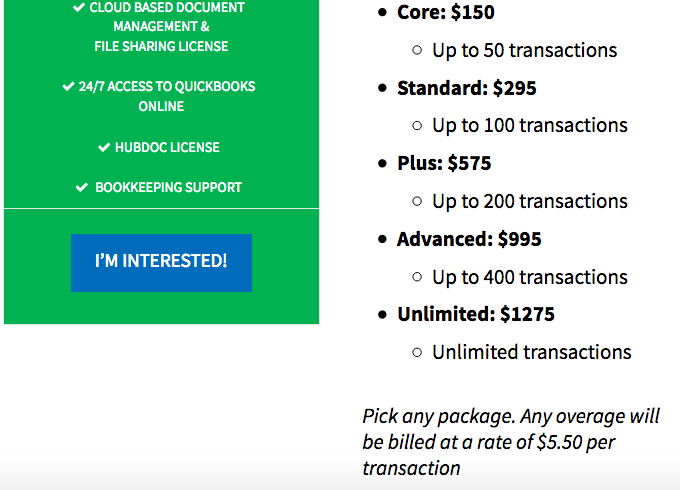
Could you please confirm whether you have resolved or is it only happens when you’re editing this page?
Thanks!
Hi,
Thanks for the response. It does this while I’m editing. For this reason, I chose not to save my edits. I have edits I need to make to the page, but I’m holding off until I can find a solution so that my page isn’t goofed up.
As I mentioned earlier, I had a similar issue with the width last time. I thought maybe it would save fine even though it was weird while I was editing it. Turns out I was wrong, and it saved that way so I’m being more cautious this time around with it. If it would help with the troubleshooting purposes, I can make my edits and save the page. Just let me know, but like I said, I just decided to hold off this time around.
Hello There,
Would you mind providing us the url of your site with login credentials so we can investigate? We’d like to check what may have cause this when you are in the Cornerstone preview.
To do this, you can create a secure note with the following info:
– Link to your site
– WordPress Admin username / password
Thank you.
That won’t be necessary. I just made some edits and decided to save the page so you could look at it without logging into my account. Fortunately, it saved just fine. I’m not sure why it looks different when I’m editing, but it stays correct after saving so as long as it does that, I’m good with it. I’d rather not provide my login information to my website at this time. I appreciate the assistance though.
Hi There,
On desktop and laptop your pricing tables look correct on my end.
I notice it does not look good on landscape tablets.
So please add the following code to Theme Options CSS
@media (max-width: 979px) {
.x-pricing-table[class*="-column"] .x-pricing-column {

    width: 100% !important;
}}
Hope it helps
Thanks, appreciate it!
You’re welcome, glad we could help.
Cheers 
This topic was automatically closed 10 days after the last reply. New replies are no longer allowed.