Change icon color of active class in custom header pro theme

Hello, I’m working on a site using a split left and right navigation custom header. The active class changes the font color in the navigation but the icon that is beside the font does not change color with active class. Can you look at this link and point me in the right direction to have the icon and font the same color when the navigation item is active?

http://geauganow.com/2018/

Please Advise!

Hi there,

Thank you for reaching out to us. Try adding the following code in the Theme Options > CSS:

.current-menu-item .x-icon.x-graphic-icon {
    color: #c3da0b !important;
}

Let us know how this goes!

Thank you very much, that did the trick! - I was looking for a setting in the custom header section to change the active color of the icon and I could not find it.

On a side note - I’m really enjoying working with the PRO theme. It seems to make my workflow much faster on every project that I have done with it.

Hats off to the development team!!!

Hi @sjones1787

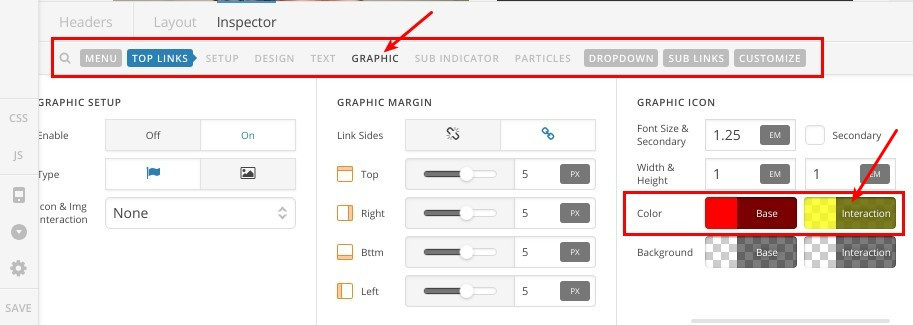
Thanks for your kind words, I believe you can change this color directly from the header builder, please check this screenshot:

Thanks.

This topic was automatically closed 10 days after the last reply. New replies are no longer allowed.