When you hover over the menu on mobile, the colors change to blue but I’d rather it be a light grey. Do you know where I can change this?
Hello Brock,
Thanks for posting in!
Do you want to have something like this?
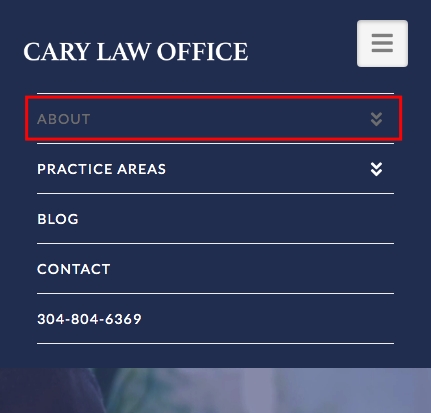
If that is the case, please add the following CSS code in the X > Theme Options > Global CSS (http://prntscr.com/evui3r)
.x-navbar .mobile .x-nav li > a:hover,
.x-navbar .mobile .x-nav .x-active > a,
.x-navbar .mobile .x-nav .current-menu-item > a {
    color: grey;
}
We would love to know if this has worked for you. Thank you.
Perfect! Thanks so much!
You’re most welcome, Brock.
This topic was automatically closed 10 days after the last reply. New replies are no longer allowed.