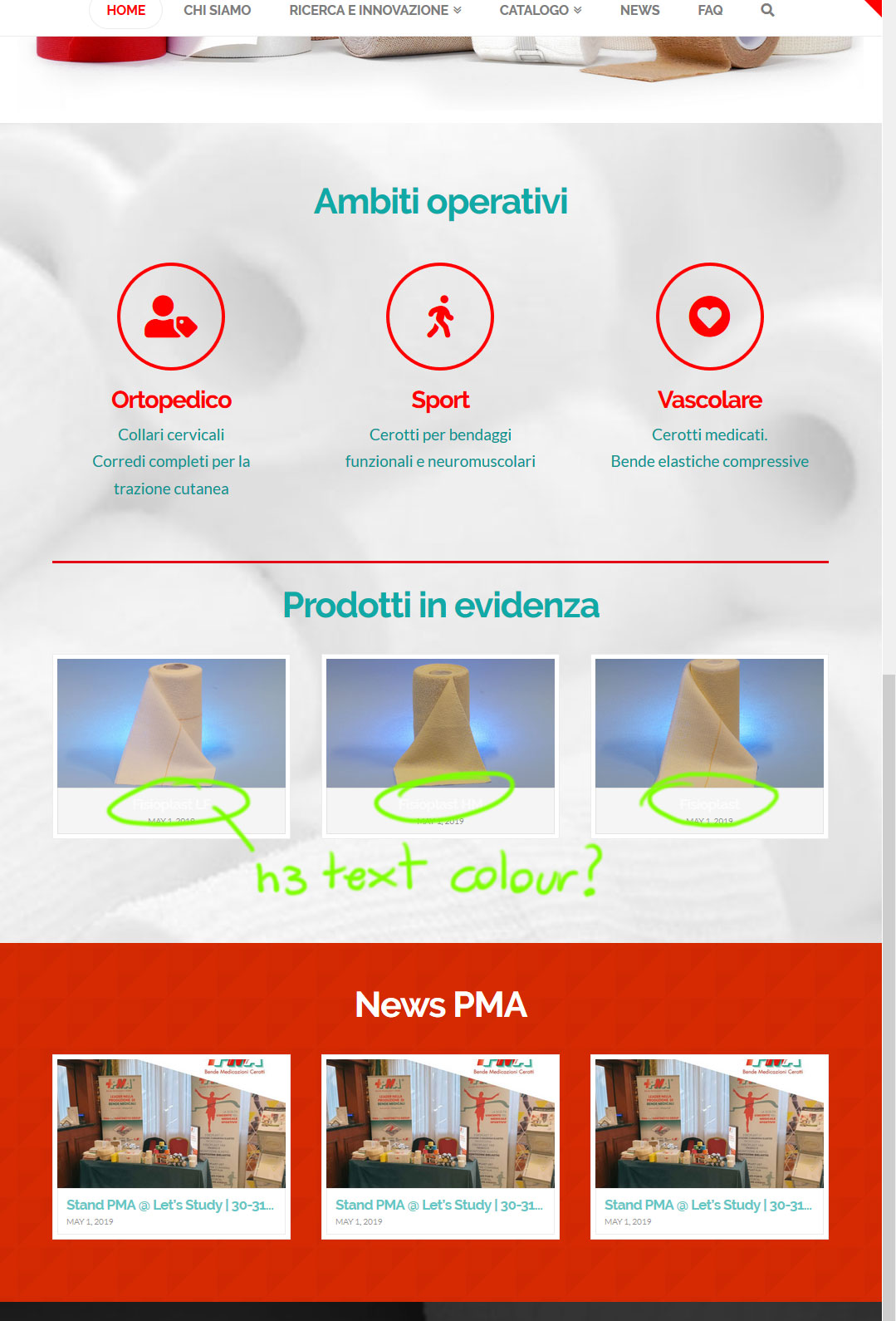
Hi: see here: is there a way to change the font colour (seems to me h3 tag) of the portfolio on my home?
Hi: see here: is there a way to change the font colour (seems to me h3 tag) of the portfolio on my home?
Hi Mauro,
Thanks for writing in! Could you please try adding the following CSS rule into your X -> Theme Options -> CSS area and change your color value accordingly.
.x-recent-posts .h-recent-posts {
    color: rgb(16,169,166);
}
Hope that helps.
perfect tnks… Iv added on “ADDITIONAL CSS” … try to set the conde on CSS of x theme but does not worked
another related question: how if i wanto to NOT show the date of publish portfolio on the tree images (and also on other article of portfolio?) tnks
Hi Mauro,
I see that your CSS has been applied correctly.

Please make sure to clear all caches when testing your page (https://www.wpbeginner.com/beginners-guide/how-to-clear-your-cache-in-wordpress/).
To hide the date, could you please add the following CSS rule into your X -> Theme Options -> CSS area as well.
.x-recent-posts .x-recent-posts-date {
    display: none;
}
Hope that helps.
Perfect 4 all.
yes my css works now… the strange fact is that i have to apply it on “Additional CSS” under “customizing” instead that on “CUSTOMIZE Z theme OPTION”
anyway tnks all work ok now!
Hi Mauro,
It’s most likely that you have a css syntax error in your code in Theme Options > CSS
You can copy the entire css code in Theme Options > CSS and paste it on the link below to check
Thanks
This topic was automatically closed 10 days after the last reply. New replies are no longer allowed.