Change colour of footer text
Hi,
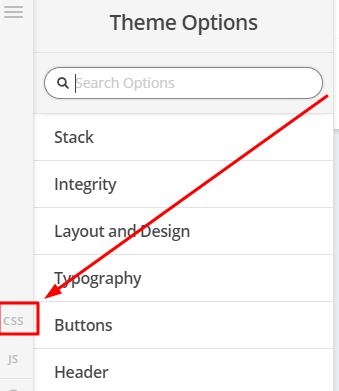
To change the color of Footer text, you can add this in Theme Options > CSS
.x-colophon.bottom .x-colophon-content {
    color: red;
}
Hope that helps
change font size?
Thanks. how do i change the font size and style?
Hi there,
You may add some more CSS code to the previous CSS that was provided.
Here are some related links for further reading:
- Intro to CSS - https://goo.gl/mFuWQT
For this you can use the CSS font-size and font-style properties.
If the CSS code you added does not work, try updating the CSS selector to:
.x-colophon.bottom .x-colophon-content p instead of just .x-colophon.bottom .x-colophon-content
Please check this link to read more about CSS Specificity.
https://www.w3schools.com/css/css_specificity.asp
Hope this helps.
This topic was automatically closed 10 days after the last reply. New replies are no longer allowed.