Change color on scroll

Hello,

I am wanting to use this effect - https://newversion.webandroll.co.uk/test/

However, I would like to be able to insert the attibute data-color into each section. I have looked at the code but can’t seem to edit it to insert? Where can I do that?

Thanks
Hi there,

The data-color attribute is currently not supported with the section elements in Cornerstone. It could be possible with custom development, but this would be outside the scope of support we can offer. You may wish to consult a developer to assist you with this. X is quite extensible with child themes, so there are plenty of possibilities.

Thanks for understanding. Take care!

I understand that. How can I insert an attribute into a section though? Can it be done with JS?

If not, I can use shortcodes within a content box. They don’t seem compatible with X Pro though? Even when using normal text box?

Hi There,

Here’s how to insert an attribute to a section using JS.

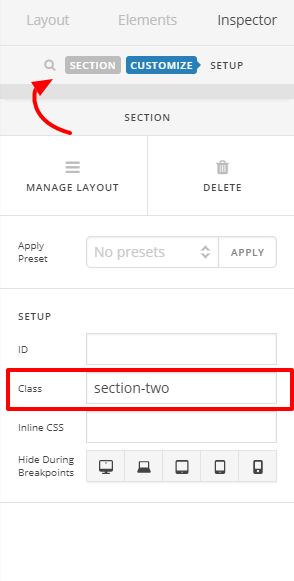
First you have to set a class to all the sections you want to insert an attribute to.

Then add this JS to X > Launch > Options > JS

jQuery(document).ready(function($) {
   $('.section-one').attr('data-color', 'blue');
   $('.section-two').attr('data-color', 'red');  
});

Note: update .section-one & .section-two to the class you used.

Hope this helps.

Thanks

That’s brilliant. Thanks for your help.

Glad to hear it! :slight_smile:

Cheers

This topic was automatically closed 10 days after the last reply. New replies are no longer allowed.