Hi Scott,
There is no option in the theme to change the color of the links specifically for the sidebar or other places that you’ve mentioned. There is a general option for all the links of the website which you can find by going to X > Theme Options > Typography > Site Links:
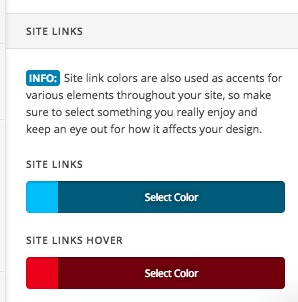
To be able to accomplish the style you want you will need to add custom CSS to X > Theme Options > CSS.
1- Add the CSS code below:
body .x-sidebar .widget ul li a,
body .x-sidebar a {
    color: #ff00ff;
}

body .x-sidebar .widget ul li a:hover,
body .x-sidebar a:hover {
    color: #0000ff;
}
Change the color code of the normal and hover states of the links in the code as you wish
2- Add the CSS code below:
body.blog .entry-title a {
    color: #ff00ff;
}

body.blog .entry-title a:hover {
    color: #0000ff;
}
Change the color code of the normal and hover states of the links in the code as you wish.
3- Add the CSS code below:
body.blog .p-meta a {
    color: #ff00ff;
}

body.blog .p-meta a:hover {
    color: #0000ff;
}
Change the color code of the normal and hover states of the links in the code as you wish.
1- I have found the proper CSS code selector using the Chrome browser Developer Toolbar:
https://www.youtube.com/watch?v=wcFnnxfA70g
2- For the CSS code itself, I suggest that you get started with this tutorial:
https://www.youtube.com/watch?v=yfoY53QXEnI
Thank you.
