Hi,
how can I make a row change it’s color when I hover over it with the mouse? I don’t think there is an option for that.
Thanks in advance.
Dennis
Hi,
how can I make a row change it’s color when I hover over it with the mouse? I don’t think there is an option for that.
Thanks in advance.
Dennis
Hi there,
There is no option for that, but you can achieve that using the custom CSS code. Click on the magnifying glass icon of a row and add a class to it for example hoverclass
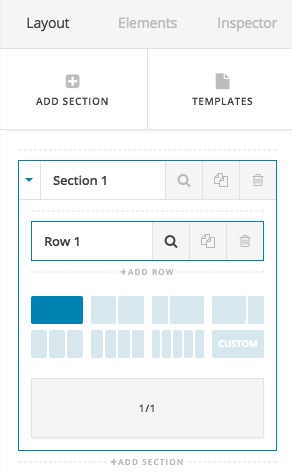
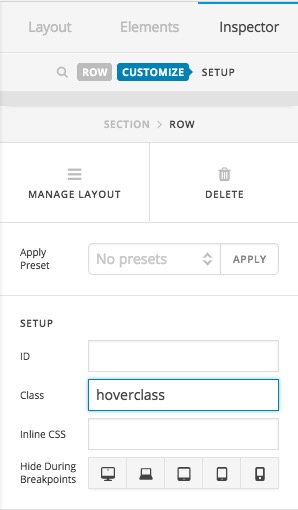
Then add the CSS code below to X > Launch > Options > CSS:
.hoverclass {
	transition:  all 300ms;
}
.hoverclass:hover {
	background-color: #ff00ff;
	transition:  all 300ms;
}
Feel free to change #ff00ff with the color code that you like. Thank you.
thanks a lot!
You’re welcome 
This topic was automatically closed 10 days after the last reply. New replies are no longer allowed.