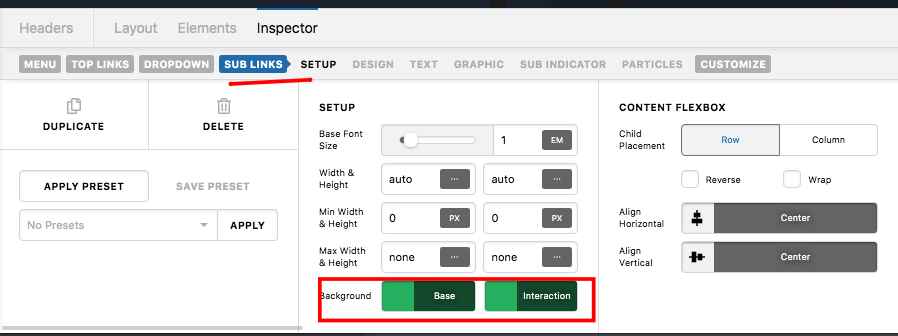
Change color of submenu current page text color

Hi!
Check out this page https://vitalityandhealth.no/fitness-coaching/fitness-coach-heidi-vonka-koi/

I added this code .current-menu-item > .x-anchor-menu-item .x-anchor-text-primary {
color: rgb(164, 5, 255) !important;
} but it only works for the top links, the subpages still have white text, how can I fix this? I want those to also have the purple color for current page for the sub pages.
Hello Ariell,

Thanks for posting in!

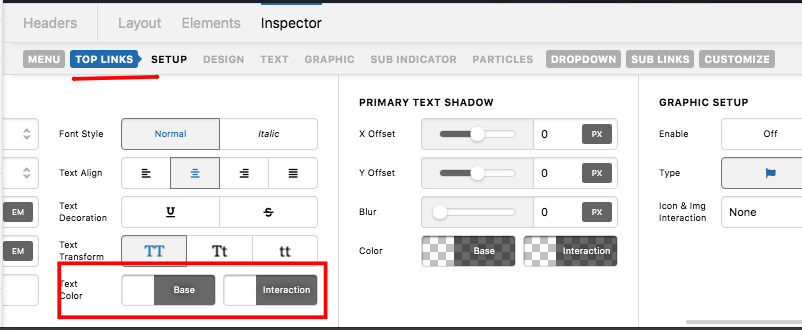
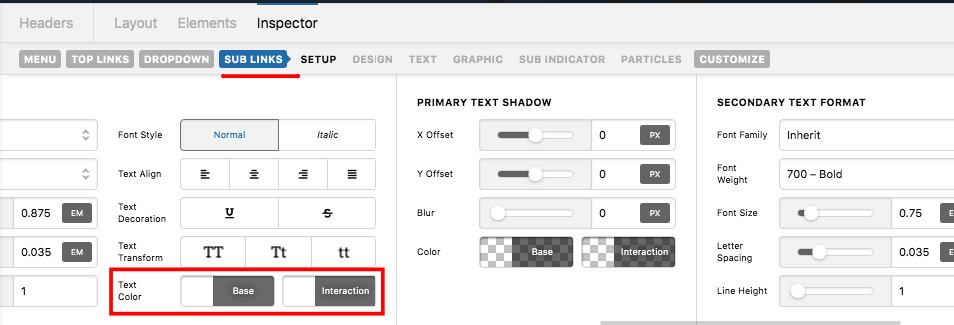
I can see that you are using a navigation inline element in your custom header. Please refrain from using a custom css. Kindly utilize the link and hover link color for the top link and the sub link in your navigation inline element settings. Please see the screenshots below:

You can even change the background colors if you want to.

We would love to know if this has worked for you. Thank you.

Hi!
Yes, I would like to use that option but, I am using the particle function for overlay with a gradient and I really like this effect, so I would like to keep it and if I put purple in the normal interaction box the menu items text is not so legible when I hover.

Hello Ariell,

Well in that case, you can just use this custom css:

.sub-menu.x-dropdown .current-menu-item > .x-anchor-menu-item .x-anchor-text-primary {
    color: red !important;
} 

You might find this link helpful so please check out the following:

CSS Selector Reference
How to find the css selector in chrome

This topic was automatically closed 10 days after the last reply. New replies are no longer allowed.