Hi, I have a single phrase (Custom Headline) over a Video Banner on the home page. It is a link to another page. I would like it to be white when it’s not hovered over, but I can’t get it to change from the dark gray it currently is. How can I make it white? Thanks.


Sorry about the delay. Here it is.
It’s password protected, so I can send that securely.
Hi again,
Thank you for providing the URL. Since you’re using an anchor tag inside the Custom Headline element. you can customize it’s color and hover color via Appearance > Customize > Typography > Site Links
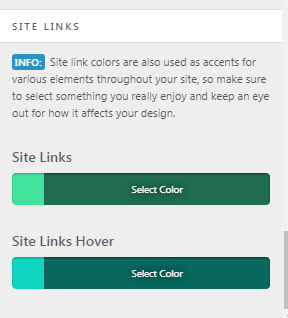
Hope this helps!
Thanks for the reply. I currently use Site Links to make the global links orange and dk green. If I change it to white in Site Links then no one would see any of the links in the pages because they’re white. I just want to be able to change only the Custom Headline in the video banner. Is that possible? Thanks!
Hi There,
Please try adding the following CSS under Customizer > Custom > Global CSS:
.home #x-section-1 .h-custom-headline a {
    color: #fff !important;
}
.home #x-section-1 .h-custom-headline a:hover {
    color: rgb(245,67,22) !important;
}
Thank you! That seemed to work out perfectly. I appreciate it!
You’re more than welcome, glad we could help.
Cheers!