Change button on contact 7 form

Hi there,
Sorry, I’m a little stumped as to how to change the styling on the contact form 7 send button. I would like it to reflect the same styling as the rest of the buttons on the site.

The site is http://scarboroughchiro.naomipearce.com/home/

I would really appreciate some help with this.
Many thanks in advance!
Naomi
Hi Naomi,

Thanks for reaching out.

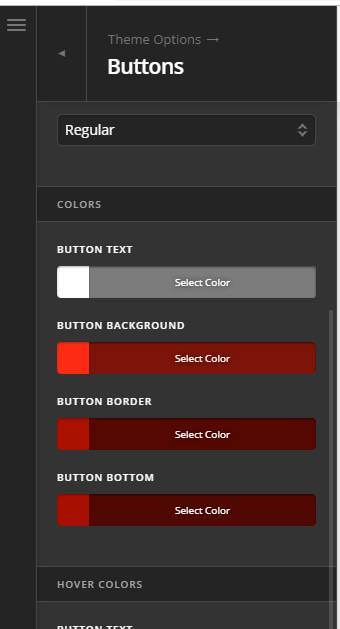
I recommend styling your button in Theme Options > Button and make it the same as your v2 buttons.

The default buttons like from Contact Form 7 should inherit that styling. I checked your site and it still configured on default styling which is a regular red button.

Thanks!

Thank you so much for you help.

Unfortunately it is still not exactly the same… the border width, size and shadow are not consistent.

Could you please let me know what I need to do now to adjust.

Many thanks,
Naomi

Hello Naomi,

Please try adding this X > Theme Options > CSS:

.x-btn, .button, [type="submit"] {
    text-shadow: none;
    border: 2px solid rgb(209,151,78);
    padding: 0.575em 0.85em 0.575em 0.85em;
}

.x-btn:hover, .button:hover, [type="submit"]:hover {
    text-shadow: none;
}

Hope this helps.

Perfect!

Thank you so much!!!

We are delighted to assist you with this.

Cheers!

This topic was automatically closed 10 days after the last reply. New replies are no longer allowed.