Say, how can we change the button color to #00a1d1. Currently a black button that says Dontate Now. On over we would like a mid-gray color. White button text. https://lincolnveteransparade.org/
Say, I changed from the classic button vs to the regular vs. So, I got the button color correct. I wanted to add an icon before the button text. Any suggestion on how to do this. The classic button had a nice feature for this. https://lincolnveteransparade.org/
Hello @rkassebaum,
Thanks for writing in. 
To have icon before button text, please walkthrough following steps:
- Click Buttons > Graphic.
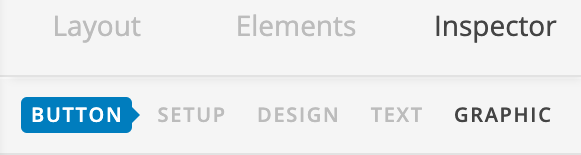
- Enable Graphic Setup.
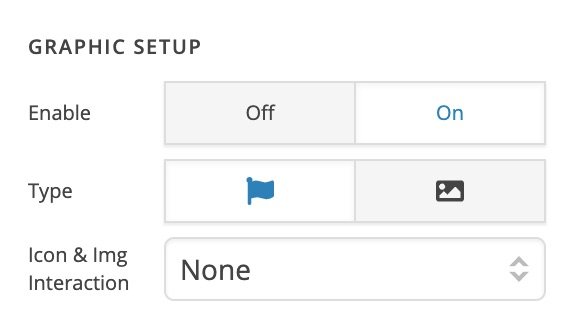
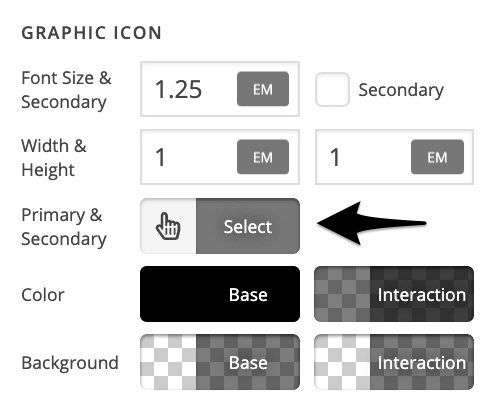
- Under Graphic Icon > Primary & Secondary (this will show after you enable Graphic Setup in previous step), select the icon as per your requirement.
Thanks.
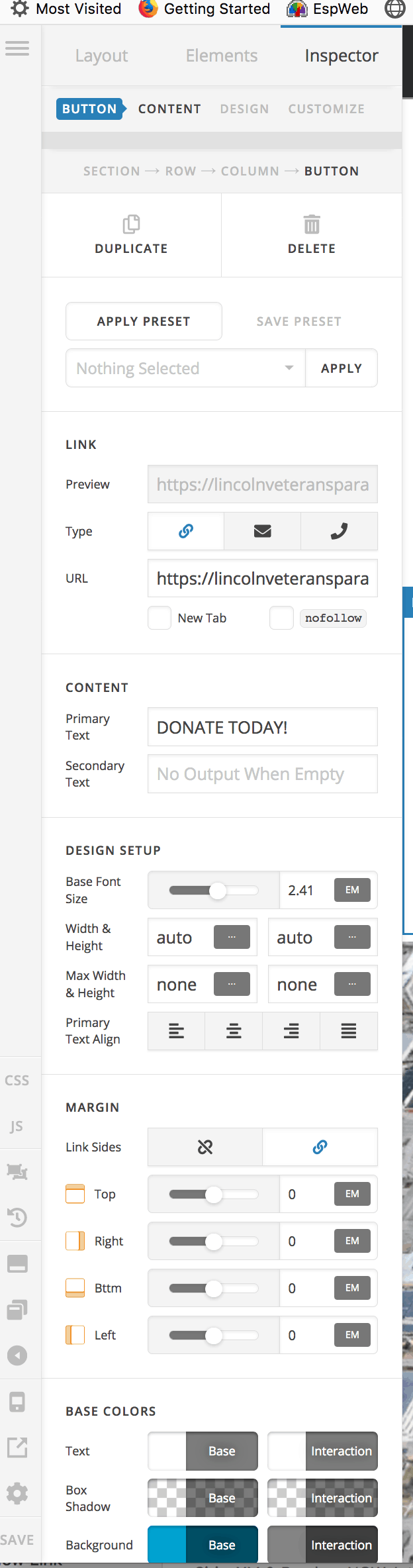
For some reason I don’t have the Graphic Icon section under the Inspector Button. Other suggestions. Here is a link so you an see my menu panel. https://lincolnveteransparade.org/wp-content/uploads/2019/04/Screenshot-2019-04-05-07.23.00.png
Hi There @rkassebaum
Please head over to Cornerstone settings (you will see the settings icon on the bottom left-hand corner).

Then under Preferences tab, enable Advanced Mode and save the changes.
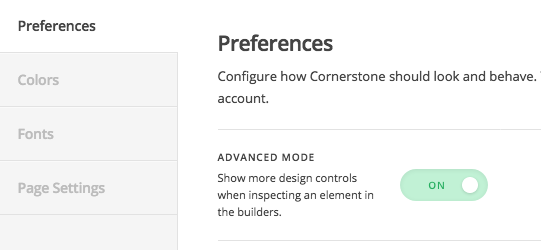
Now, when you check the button options, you should see Graphic option.
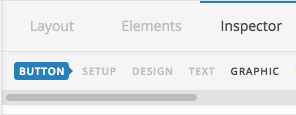
Hope that helps.
This topic was automatically closed 10 days after the last reply. New replies are no longer allowed.