Change Blog Featured Image Width and Position

Hello!

I’m trying to figure out how to max the featured image width to match the max width of the actual blog posts and then to make sure the featured image is centered after maxing its width.

At the same time, I’d like to have the Blog Title to be centered instead of left aligned. Especially need this because the resizing and centering of the featured image will make the blog title appear aligned awkwardly to to the left.

So three things - max the featured image, center the featured image, and center the blog title - on ALL my blogs. I just want a global CSS solution.

Thank you! Jesse
Hi Jesse,

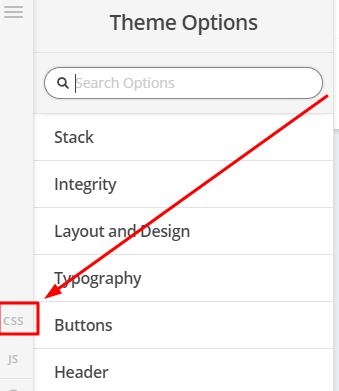
To achieve that, you can add the code below in Theme Options > CSS

.single-post .has-post-thumbnail .entry-featured {
    padding-left:60px;
    padding-right:60px;
    border:0;
    box-shadow:none;
}

.single-post .entry-title {
    text-align:center;
}

.single-post .entry-wrap {
    box-shadow:none;
}

If you would like to learn CSS, I am sharing few resources that you take a look to get started with CSS and an interesting tool that you can use to speed up the development process.

I recommend you to watch following video that will help you to get started with CSS.

https://www.youtube.com/watch?v=MFR4WXiLzpc

Sometimes it can get a bit difficult to find out the right selector to be able to write the required CSS codes. A handy tool that can help you in this is Google Chrome dev tools. I am sharing the resource that you can refer to get started with dev tools.

https://developers.google.com/web/tools/chrome-devtools/css/

https://developers.google.com/web/tools/chrome-devtools/

https://www.youtube.com/watch?v=tP_kXBJWPhQ&t=200s

This topic was automatically closed 10 days after the last reply. New replies are no longer allowed.