Hi out there , I’m trying to have a separate background image for a separate page, but it seems tricky to do. Have clicked on advanced setting to show more options - but nothing .
I would have thought such an extremely obvious functionality wouldn’t be so obtuse . Any help would be welcome 
Hi There,
You can set the background image for pages when you edit them > scroll down to Page Settings > set the Background Image(s):
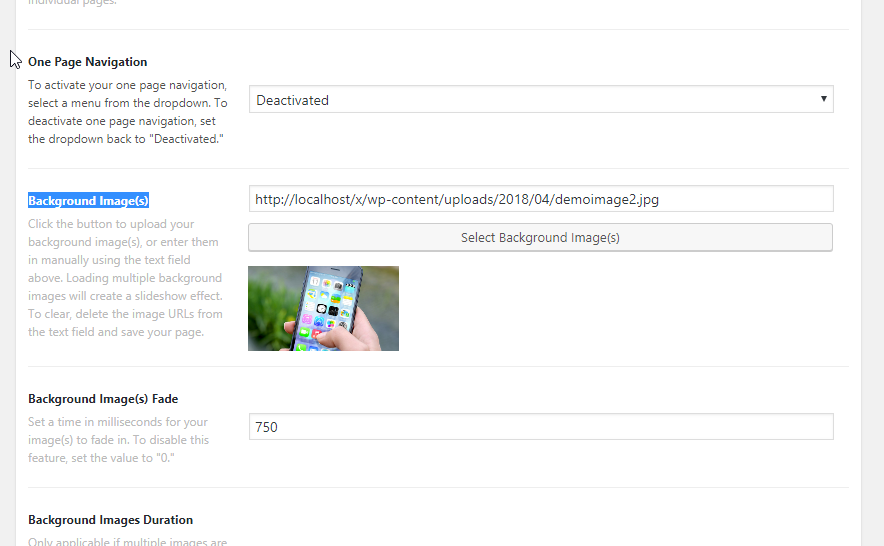

Hope it helps
Man ! thanks so much I was way too focused on cornerstone to notice the solution right under my eyes in the Page Settings.
Appreciate that Thai - many thanks
You’re most welcome!
This topic was automatically closed 10 days after the last reply. New replies are no longer allowed.