Change background color of an expanded mobile menu

Hello,

I have a transparent navbar, all the first section of my pages have a negative margin-top to go under the navbar.

And I would like to give a background-color to my navbar when it’s expanded, and give a margin-bottom to push the page content below

Thanks for your help !
Hi Reazle,

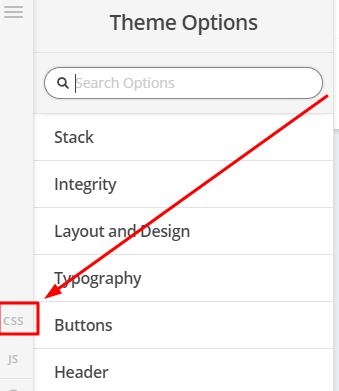
Please remove the negative margin in your section, then add this in Theme Options > CSS

.home .masthead  {
            position:absolute;
            width:100%;
}

Hope that helps

Hi Paul,

thanks for your answer, but it doesn’t work

Hi,

Sorry, kindly change the code to this.

.masthead  {
     position:absolute;
     width:100%;
      z-index:9999;
}
.x-nav-wrap-mobile {
    background:#fff;
}

Then make sure to set your first section margin top to zero.

Thanks

Now the content is not pushed anymore, this is not what I’m looking for.
Plus, the background is still transparent.

Maybe it would be possible possible to change the background-color and the marging with a JS function called by the hamburger button ?

Hi,

We can try js, please remove the css codes I provided and add this in Theme Options > JS

jQuery(function($) {
    
$( ".x-btn-navbar" ).on( "click touchstart", function() {
    $('.x-navbar-inner').toggleClass('bluenav');
});
});

Then add this in Theme Options > CSS

.bluenav {
   background:blue;
} 

Change blue with the color that you like.

This is how it works on my end.

https://www.screencast.com/t/lz4p1tiVuB0

Hope that helps.

That’s great !

That’s exactly what I was looking for, I also added some margin as I wanted.

Thank you Paul !

Oooops one last thing please !

It works great on my computer but I still have a white background on my mobile phone…
Do you have any idea where it come from ?

Ok I got it, I had to remove the touchstart and now it’s ok on mobile

Glad to hear that you got it working. :slight_smile:

This topic was automatically closed 10 days after the last reply. New replies are no longer allowed.