Hi.
On mobile, the above images ‘how to save’ etc at the bottom are not centred. Image attached.
Many thanks,
Gemma

Hi.
On mobile, the above images ‘how to save’ etc at the bottom are not centred. Image attached.
Many thanks,
Gemma
Hello Gemma,
Thanks for writing in! I have inspected your page and indeed the images were not centered even on desktop screens. Please edit your page back in Cornerstone. Click each of the column and find the Text Alignment option in the column settings.
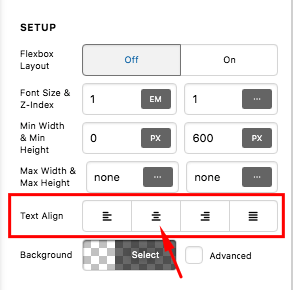
We would love to know if this has worked for you. Thank you.
Thank you for replying.
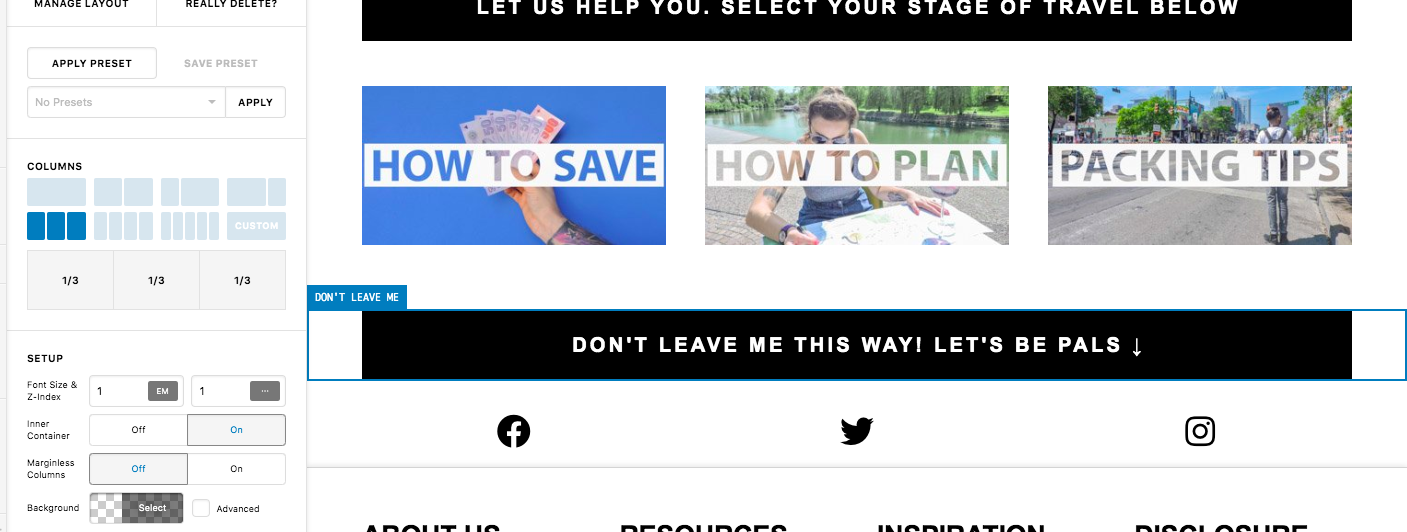
I don’t appear to have columns. They are set up as 1/3 so there is no centred that I can see?
Hey Gemma,
Forget about the columns. You can center the images at once if you enable the Text Alignment of the Section.
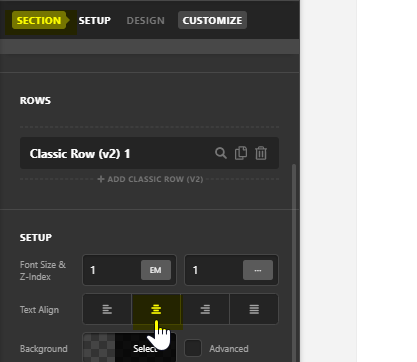
Inspect the Section containing the 3 columns and click the Center icon in the Text Align option. If you’re not sure how to inspect the section of the 3 columns, use the breadcrumbs or click the Layout tab to see the structure of the page for easy inspection of elements.
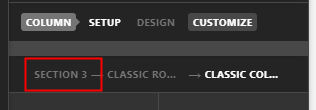
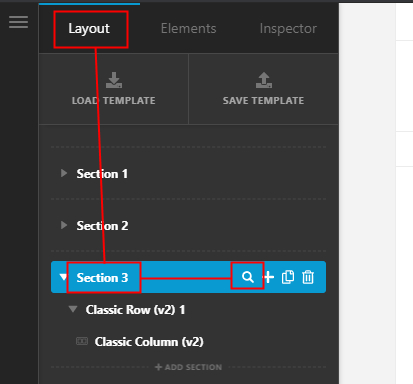
Hope that helps.
Thank you so much. I was able to do this on then plan. pack square images too. I was previously told that was a caching issues.
Best,
Gemma
You’re always welcome Gemma!
Cheers.
This topic was automatically closed 10 days after the last reply. New replies are no longer allowed.