Centre align button within columns

I would like to centre align each of the buttons in the 3 columns. Screen shot below shows how they are currently aligned left.

Also I’m having an issue on mobile where the buttons are appearing on top/too close to the adjacent column.
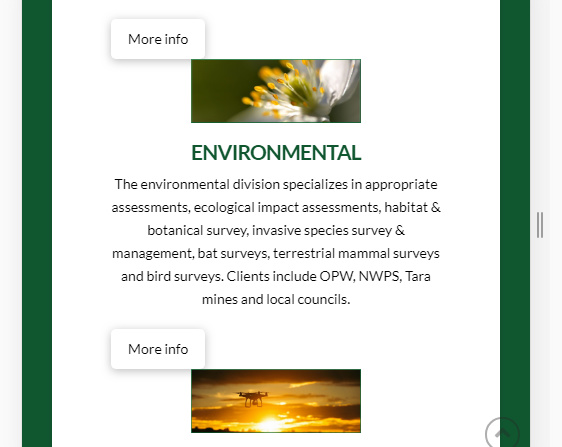
Or is there a way I can turn the green text (e.g ENVIRONMENTAL) in each column into a button?

Appreciate any tips with resolving these issues.

Hi Ciaran,

Thanks for writing in! To center your button, please refer to the following post (https://theme.co/apex/forum/t/center-button-on-section/53904/2?u=mldarshana).

I’m not sure about the mobile issue without inspecting your actual page. Try adding a gap element between your elements in Columns, and see if that stays as same on mobile view. If you’re still having issues, please provide us with your example page URL to check your issue further.

Thanks!

Thanks @mldarshana, I may have posted too early. Seem to have resolved the issue.

Glad to hear that. :slight_smile:

This topic was automatically closed 10 days after the last reply. New replies are no longer allowed.