Centered headlines jump to left

Hello X Theme,

I’m working on a website and have an issue with the headlines. I can’t figure out the problem so maybe you can help me out.

I have centered headlines but on screen sizes smaller than 481px they jump to the left. Even when I align them center in the editor and in the column and row. Also tried with a css class but they keep jumping to the left.

The url is:
https://www.kuipersfysiotherapie.nl/website/
Hey @Timmid,

It’s because of the following custom CSS in the Global Block added to your page. Please remove it.

@media (max-width: 768px) {
.x-text-content-text {
    -webkit-flex-grow: inherit;
    flex-grow: inherit;
}
}

Hope that helps.

Thx so much. missed that line of CSS.

I added that to center the headline with icon on the global block in the footer. Do you have an other option to make the headline with the icon centered on mobile?

thx in advance.

Hello @Timmid,

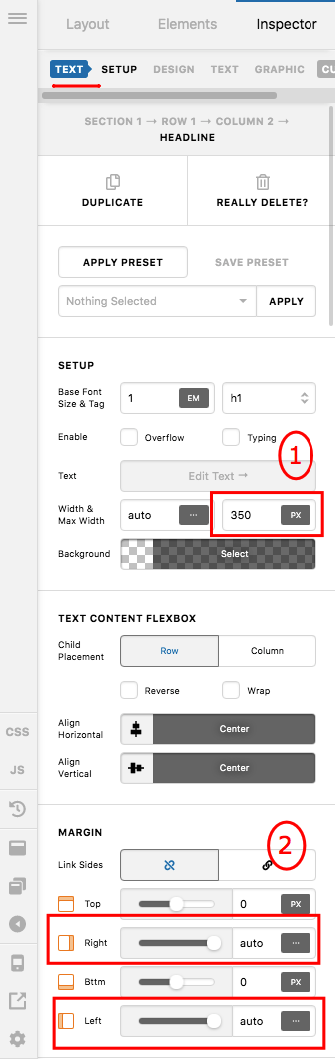
You do not need the css to center the headline. Simply set a maximum width and the left/right margins in your headline element settings and the headline text with icon will display at the center.

Feel free to adjust the maximum width that applies to your headline width.

Hope this makes sense.

Thx for the reply.

But i only want it centered on screen sizes below 768px. On desktop everything in the footer is aligned to the left.

Hey @Timmid,

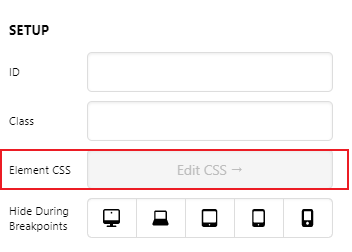
You should add the following code in the Element CSS of your headline element:

@media screen and (max-width: 768px) {
  $el {
    display: flex;
    justify-content: center;
  }
}

Let us know how this goes!

Works great, thank you!

You’re welcome @Timmid!

Cheers.

This topic was automatically closed 10 days after the last reply. New replies are no longer allowed.