I have an image that I don’t want to set as a background image, but just as regular image to more control the size of the image. If I want to include a headline element of text centered on the image, is there a better way than using negative top margin and guessing at placement for each screen size breakpoint?
Hello @MulderDSM,
Thanks for writing to us.
In order to align the text over the image in the center, I would suggest you please follow these steps.
-
Element Structure
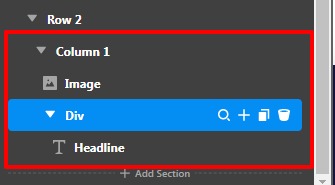
-
Go to the column and set the flexbox as Center
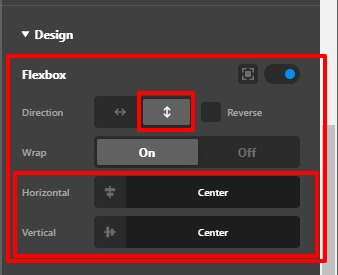
-
Go to the DIV element and set the Position as Absolute
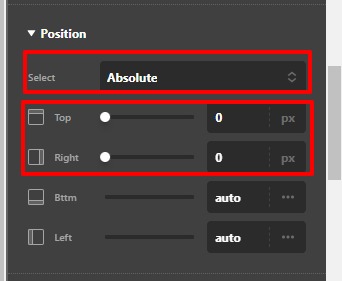
-
Set the Top and Right as 0 of the DIV Element
-
Set the Flexbox as the Center of the DIV element.
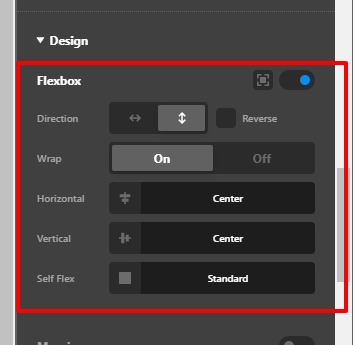
-
Now you need to set the width and height of the DIV element.

Hope it helps
Thanks
This topic was automatically closed 10 days after the last reply. New replies are no longer allowed.