Center text and image in content dock

How are text and images centered in content dock? I added the following CSS but it didn’t cause them to be centered? The page that the content dock is on is in secure section.

.x-content-dock {text-align: center;}

Also on that same page, there are images with text to the right of the image. How do I get the text to align under the images on smaller screens?
Hello @eutaw,

Thanks for writing in!

The code should be use is this:

.tco-content-dock .textwidget {
    text-align: center;
}

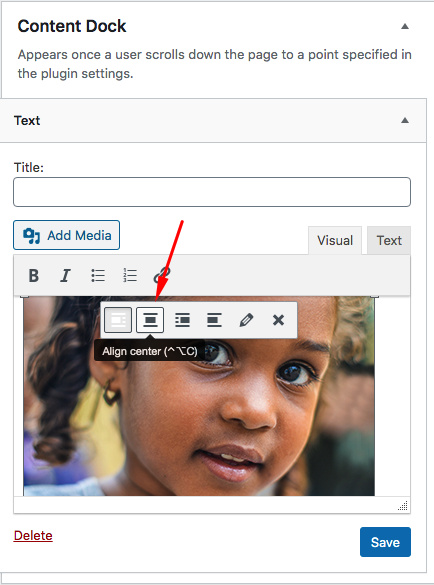
And make sure that the image, when inserted, is align to none or to the center.

We would love to know if this has worked for you. Thank you.

Thank you. That works well.

I had a second question in that post, but I’ll open another topic for that. Thanks.

You are most welcome!

This topic was automatically closed 10 days after the last reply. New replies are no longer allowed.