Hello GarlicFox,
Thanks for writing in!
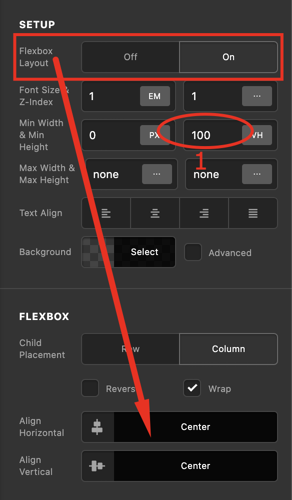
Please understand that normally, the height of the section depends on the height of the row which in turn depends of the column which is also depending on the total height of the elements place inside the columns. In you case, though you have set a minimum height of 100vh in your section, the row is still not expanding. You have place your minimum height incorrectly. To accomplish what you have in mind, you only need to do the following:
1.) Insert a minimum height of 100vh into your column element.
2.) Enable the Flexbox option in the column settings and position the contents to the center both vertically and horizontally.
Hope this makes sense.
