hi,
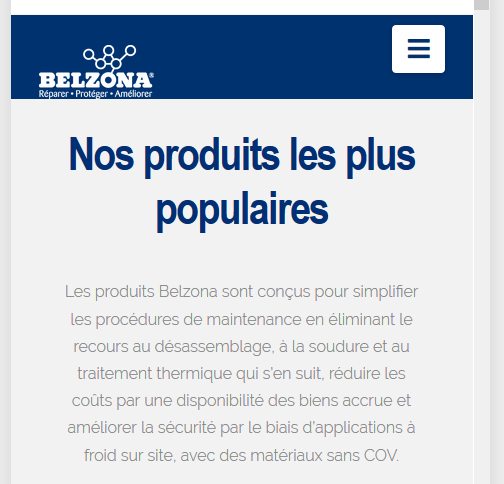
how can I change the logo to be in the center ? and put the dropdown menu align with the logo?
Also, it seems missing something in the dropdown, edge on side

thanks
hi,
how can I change the logo to be in the center ? and put the dropdown menu align with the logo?
Also, it seems missing something in the dropdown, edge on side
Hello Jean,
Thanks for writing in!
Your image logo is not centered because you have added 30 pixels in X > Theme Options > Headers > Logo - Alignment > Navbar Top Logo Alignment. The only way to get this resolve, you need to add CSS code into X > Theme Options > CSS.
The default css styling of the image logo in mobile is:
@media (max-width: 979px){
  .x-brand {
    margin-top: 30px;
  }
}
Feel free to adjust the top margin and you can use that as your custom css.
We are unable to provide CSS code for the customization as it is outside of our support scope. The points above will be a good starting point and if you are interested you can learn more about CSS selectors and details here.
Hope this helps.
thank you, that’s working
and for the color of the dropdown menu in mobile, where I can change it ?
thanks again
Hello Jean,
I can see that you already added this custom css which changes the background color for your mobile menu
.x-navbar .mobile .x-nav li>a {
    background-color: #012b5f !important;
}
If you are looking to change the color of the mobile menu icon, you can make use of this CSS Selector:
.x-btn-navbar {
    color: #919191;
    background-color: #f7f7f7;
}
Feel free to change the default colors to your desired color palette.
Best Regards.
hi
maybe I explain wrong.
when I click on the mobile menu, everything is blue.
Possible to change the color where all the submenu are ?
thanks and sorry
Hey Jean,
It’s possible but you need more CSS codes or theme customization for that. Regretfully, we do not provide that service as part of our theme support.
If you need a highly customizable header, I’d recommend you upgrade to our Pro theme. Otherwise, you’d need to learn CSS and how to use the browser element inspector to customize the theme parts that don’t have an option.
Thank you for understanding.
ok thank you
I will check this out.
You’re welcome, Jean.
This topic was automatically closed 10 days after the last reply. New replies are no longer allowed.