Hi, I give up. I’m using your static baseline list that I need to have left-aligned, but centered within my row. How can I do that without setting a max width? Where I’m supposed to set it to in-line block? Thanks in advance.
Hello @rockspringsrc,
Thanks for writing to us.
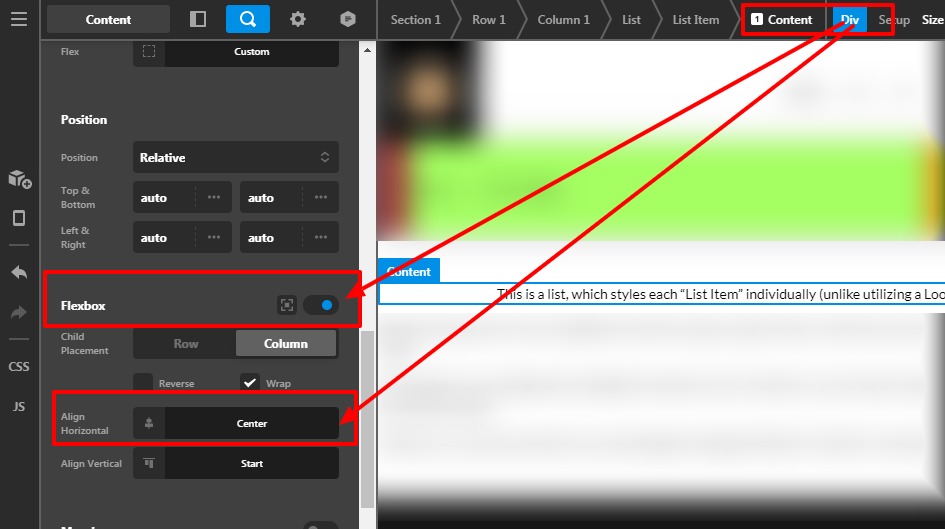
To align the baseline list content centre in the row, you need to click on the Magnifier icon of the content column —>Set the Flexbox as “ON”—> Align Horizontal—>Center. Please have a look at the given screenshot below.
Hope it helps
Thanks
No, that centers the list item, not the entire list. I need the list items left justified, but the entire list centered on the page.
I had to set a list width to achieve what I wanted and the flexbox to row, not column. I didn’t know if there was a different or better way, but I got the job done. Thanks anyway!
HI Tari,
You’re welcome! If you have any other concerns or clarifications regarding our theme features, feel free to open up a new thread.
Thank you.
This topic was automatically closed 10 days after the last reply. New replies are no longer allowed.