Center header Bar

I am having a problem centering a header once I set a max width. When I try to set the max width of the bar via the side bar to 1920px it doesn’t seem to work, so I set it via the Element CSS for the bar. That works but the bar is aligned left and I can’t get it to center. Have tried margin-left:50%; margin-right:50%; in element css but that doesnt seem to do anything.

This is the page: https://wondermugz.com/shop/

Thanks Darren.

Hi Darren,

Thanks for reaching out.
I have checked your website, but I am unable to recognize the problem. I have tried to set the max-width to the existing Bars in the Header, but didn’t find any problem. Can you please provide any screenshots marked with the issue or any video that helps us to recognize the problem?

Thanks

Hey Tristup,

Sure here you go.


Hey @DesignMunky,

Try these Bar element settings:
image

Use “margin-left: auto, margin-right: auto” to make it centered.

Kindly let us know how it goes.

Hey Ruenel,

When i set the max-width in the inspector it doesn’t contain the bar to that width.
When I set the max-width in the element css it contains the bar to 1920px but then aligns the bar to the left even though there is margin-left: auto, margin-right: auto also in the css.

thanks
Darren.

Hey Darren,

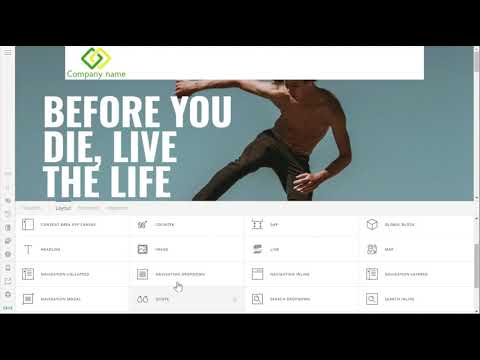
Are you looking for a centered bar like the screenshot below?

If so, your Bar must be transparent then you should set up your Container to have a white background give it some padding. You can watch the setup below. It’s an old tutorial using an old version of Pro but the idea is still the same.

Ahhh got it - Thanks RueNel.

You are most welcome. We’re glad we could help you out.

This topic was automatically closed 10 days after the last reply. New replies are no longer allowed.