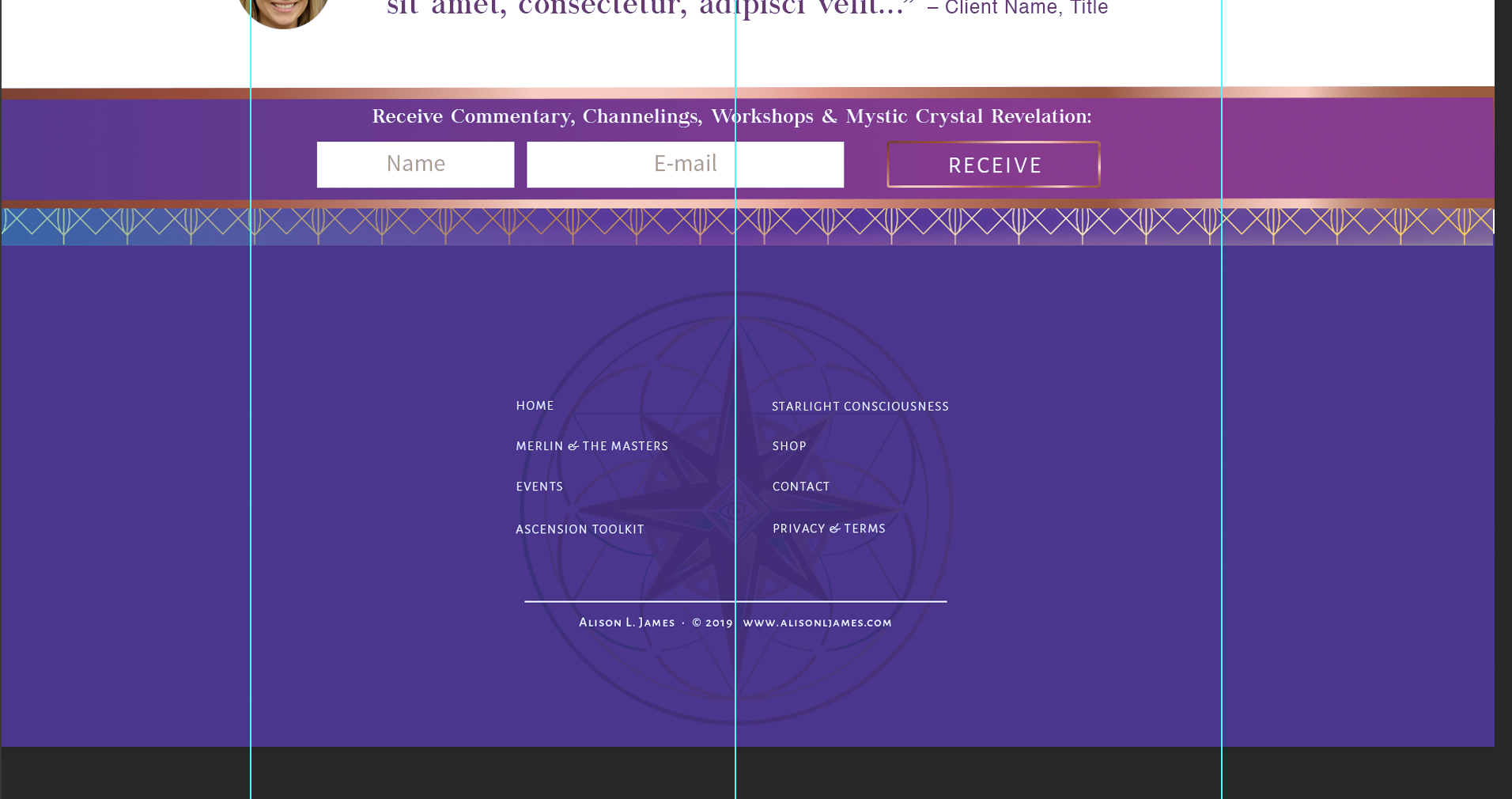
Center footer widgets and remove top border

Hello- if you go to my site: https://alisonljames.com/ (I will send a PM with login) there are 2 footer issues I need help with:

  1. There is a white border on top of the footer I can’t seem to get rid of:
    https://alisonljames.com/wp-content/uploads/2019/07/Screen-Shot-2019-07-25-at-11.24.34-AM.png

  2. I would like to center the widgets in my footer like in this mockup:
    https://alisonljames.com/wp-content/uploads/2019/07/Screen-Shot-2019-07-25-at-11.28.56-AM.png

So they are still left justified but the widgets themselves are centered.

Look forward to your response!

Hey Kim,

Thanks for writing in!

1.) I have inspected your footer and its custom css. I am suspecting that there is a few pixels which transparent in your background image. Please edit your background image in Photoshop or any other photo editor. Please make sure to remove any excess transparent pixels on the edges of your images.

2.) To center the widget, you will need to reduce the maximum width of the container of the footer widget area. Please add the following CSS code in the X > Theme Options > Global CSS (http://prntscr.com/evui3r)

.x-colophon.top .x-container.max.width {
    max-width: 400px;
}

We would love to know if this has worked for you. Thank you.

Thanks so much!

You are most welcome!

This topic was automatically closed 10 days after the last reply. New replies are no longer allowed.