Hey guys,
on the page www.fenner-musik.de/wohnzimmertour I try to get the video horizontally centered and bigger but it don’t get it.
What can I do?
Hey guys,
on the page www.fenner-musik.de/wohnzimmertour I try to get the video horizontally centered and bigger but it don’t get it.
What can I do?
Hi There,
The size of the element depends on the container. I can see you do have weird columns on that section where the video is added. See this: https://screencast-o-matic.com/watch/cbXO3E2v13
With the following columns: 1/3 +/1/2 + 1/6 it will never be centered.
It is like 30.66% + 48% + 13.33%. The video is inside a 48% column. The left and right column beside the video doesn’t have the same width.
First, no need to setup that columns. Just choose 1 column.
To get it bigger, adjust default 500px maximum width on the video element:
To center it, make sure that video element left and right margin is set to auto:
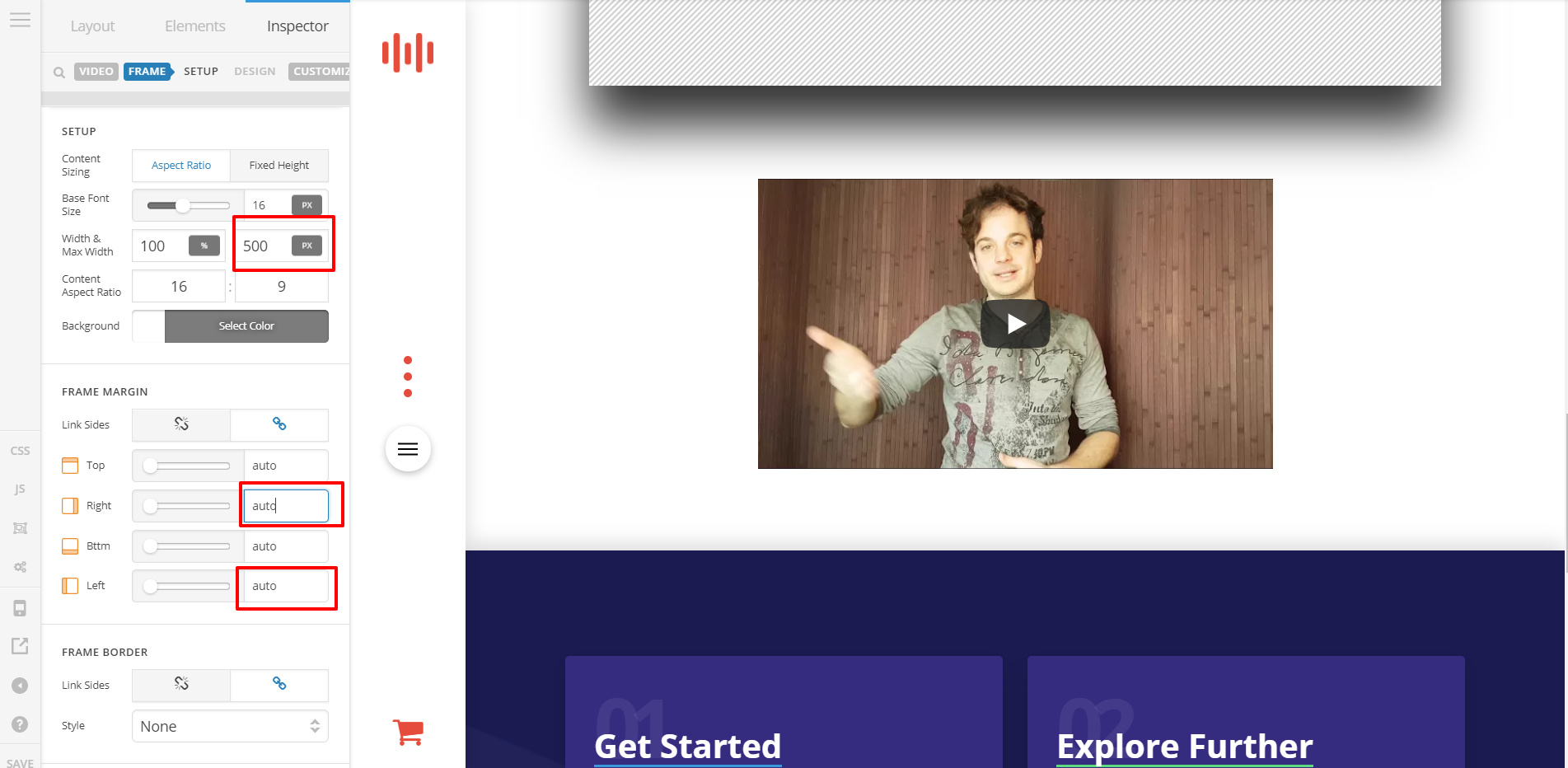
Choosing 1 columns means that the video can use the entire ROW width but it will be restricted to the maximum you have set. The left and right auto margin will center it no matter what the set width.
Hope this helps.
Nice, it worked.
I made the weird coloumns after my post, because i needed it to launch yesterday. And it was at least reasonable. But now it’s perfect.
Just one more question. I got the problem with the Sign up form. It’s just very large, how can i make it smaller?
Hey There,
Please add this custom CSS under Customizer > Custom > Global CSS:
#mc_embed_signup {
max-width: 600px;
margin: 0 auto;
}
Let us know how it goes!
Wow, that was quick. And it worked, thank you very much. 
You’re more than welcome, glad we could help.
Cheers,
This topic was automatically closed 10 days after the last reply. New replies are no longer allowed.