Center align text in ”Navigation layered”

Hi,
I previously got help with center align the buttons/links in a “Navigation layered”. This is used on https://cumatix.se/imu/imu-faq/ when a small screen width is used. The help I got (see below) made the trick in general. However I got strange behavior in IE11 (See attached screenshot). Is there a work for this or can you suggest something similar I could use for this menu in mobile view?

Thanks!
/Sebastian
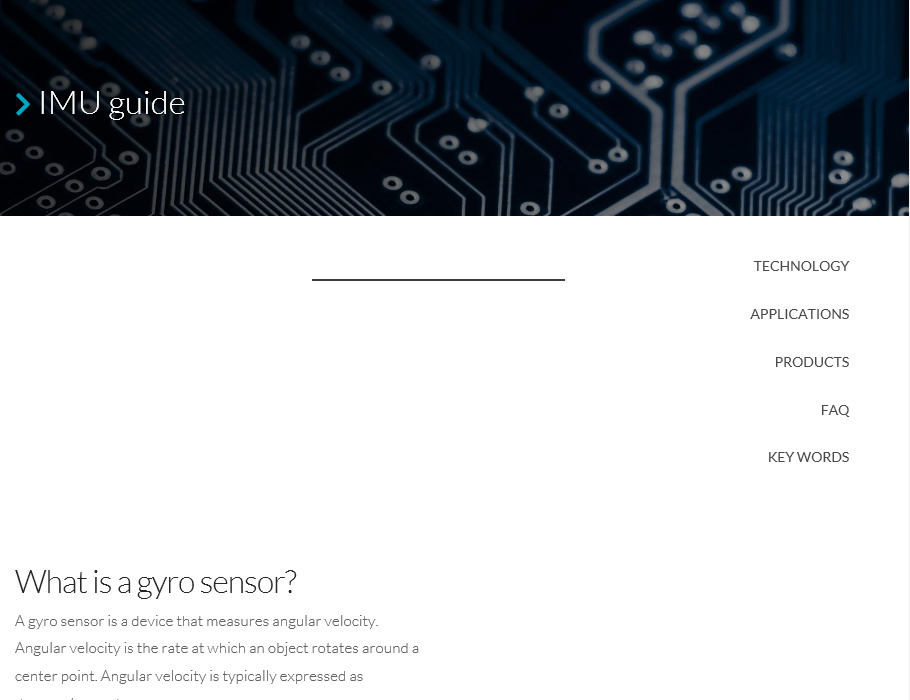
Previous help i implemented:

Please assign the btn-center-text to your buttons:

After that add this custom CSS under Theme Options > CSS:
.btn-center-text span.x-anchor-text {
margin-left: auto !important;
margin-right: auto !important;
}

I also got some help with the border below the menu links in a thread named “Border bottom on active menu object” previously if that is related to this issue…
Thanks!
/Sebastian

Hi Sebastian,

Thank you for reaching out to us. To fix the issue, please replace the previously given code with the following code:

.btn-center-text span.x-anchor-text {
    margin-left: auto !important;
    margin-right: auto !important;
    width: 100%;
}

Don’t forget to clear all caches including your browser’s cache after adding the code. Let us know how this goes!

This topic was automatically closed 10 days after the last reply. New replies are no longer allowed.