the cart page is muddled up, I cannot work out why
Hi @wicara,
Your website is heavily customized and it is not at all like the original theme cart page. Unfortunately, this is not something that we can be of help and you need to contact the developer to follow up the case.
Thank you for your understanding.
I’m sorry it’s not that customised that is not at all what it is meant to look like. It also displays correct in customizer but not on the site
Hi Wicara,
I see that you have added some custom css and that is the cause of the issue.
Try adding this CSS to fix it.
.woocommerce-cart .woocommerce .cart_item .quantity {
    float: none;
}
Don’t forget to clear cache after adding the CSS. Hope it works.
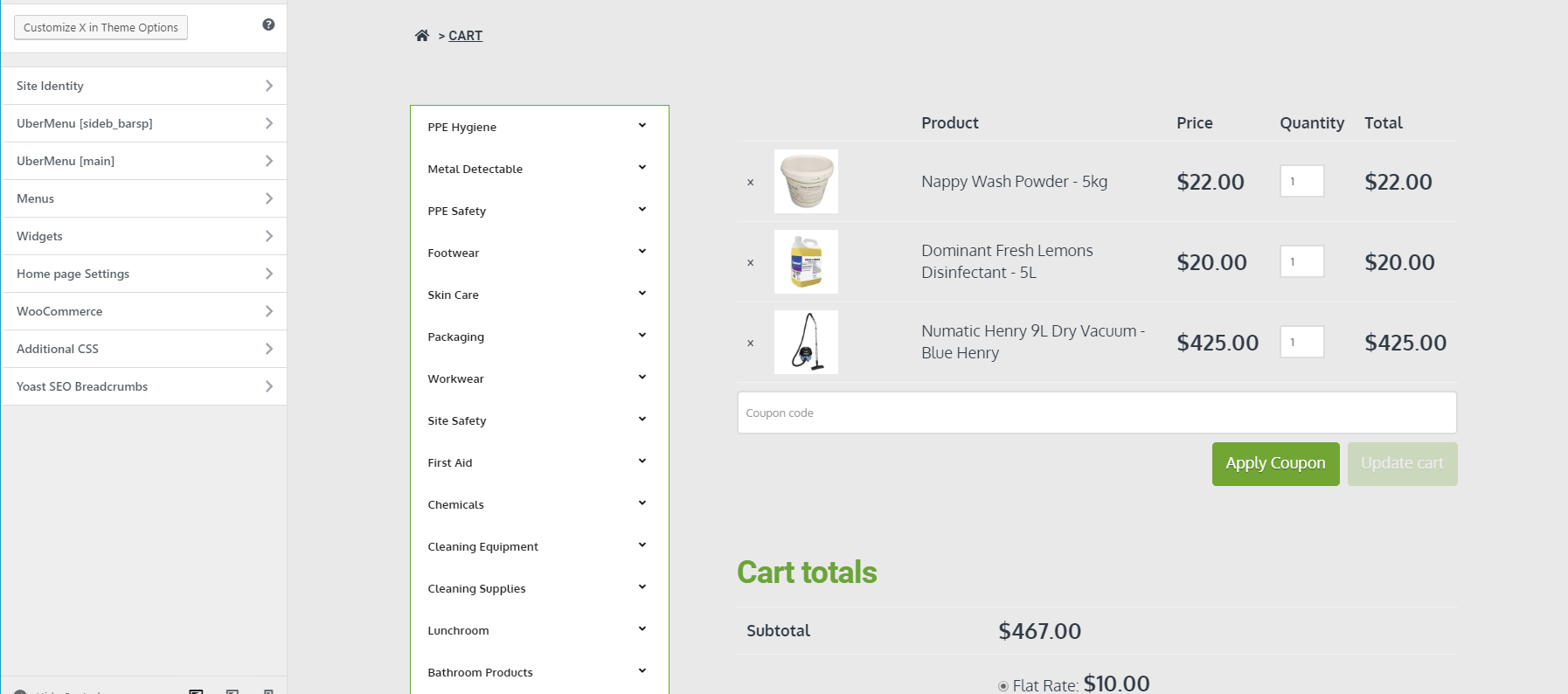
FYI this is what it is meant to look like and does in the customizer view, the CSS change did not fix that, also added admin privileges to that login sorry for that
Hi @wicara,
I can confirm that the cart looks different on the front-end and looks fine on the Customize page in the admin area. If this site is not newly-launched, when was the last time you remember you didn’t have this issue? And what changes have you done, that you can remember, before this issue occurred?
Also, has this been customized ever since or are the customizations just recent additions?
I cannot determine at this stage what’s causing this. It could be caching, it could also be the customization or it could be something else. Can you try changing the Active Theme to X and not X Child? Once you’ve done that, please check whether the Cart behaves and looks the same in both the Front-end and the Customize.
Now, it might be the case that they will look the same but they will not look like what you want them to look. It’s okay at this stage. We’re still just finding the root cause.
Looking forward to hearing from you.
It seems to be with the W3 total cache plugin, do I need ot exclude any files from minification caching ect ?
Hey @wicara,
WooCommerce pages should not be cached and our theme’s resources should be excluded from minification as they’re already optimized out of the box. Please contact W3 Total Cache support to learn how to exclude WC pages from being cached and also excluding everything from a theme from being minified. Also, exclude Cornerstone resources from being minified.
Thanks.
This topic was automatically closed 10 days after the last reply. New replies are no longer allowed.