Cart icon in header (trying again)

I think my earlier post on this got forgotten, trying again -

Having an issue with the cart icon - it’s set for “stacked” but with either setting, it’s pushing the header nav over; seems like it should be up in the corner above the nav, so the links don’t get pushed to the left?
I’ve tried playing with the CSS but no luck.


Site is technologysolutions-inc.com

Hi @mcphoto,

Thank you for reaching out to us. You can align the menu links and cart button via Theme Options. For the menu Items you can navigate to X > Theme Options > Header > Links Alignment and adjust the Navbar Top Link Alignment

image

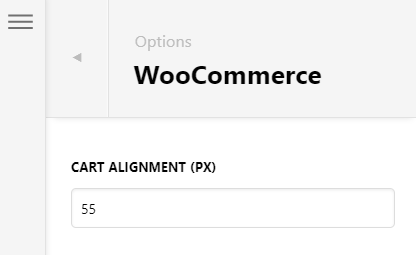
Now to align the cart button, navigate to X > Theme Options > WooCommerce and adjust the Cart Alignment

image

I went ahead and aligned it for you using the above settings, feel free to make more adjustments as you need.

Cheers!

Thanks, but this is what I’m trying to accomplish - I want the page links to remain aligned with the bottom of the logo and the cart button to be above them, in the corner, like this - I assumed that’s what “stacked” means in the cart button controls:

Hello @mcphoto,

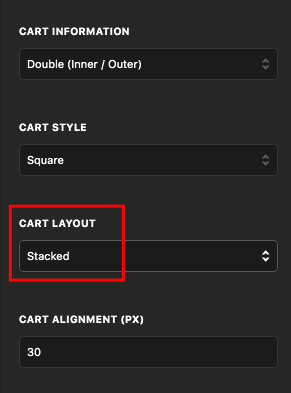
Please be advised that the Stacked/Inline pertains to the Cart Layout only. It means that the cart icon and the item count will be inline, side by side, or stacked below each other.

SWyH62yvTWqxQOEaJIvSXA

This setting does NOT involve other menu items. Whether you select stacked or inline, the cart item will always be in line with the menu items in your Navbar. What you want showing in your screenshoot is not possible with the current settings. You will need custom modifications to be able to accomplish it. Regretfully custom development is outside the scope of our support. The support are only limited to getting your site set up, bug fixes, and minor cosmetic changes.

Thank you for your understanding.

This topic was automatically closed 10 days after the last reply. New replies are no longer allowed.