Can't see icons in the entire page

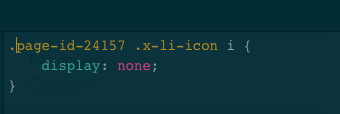
I wanted to delete icons from the pricing table so I added this code

.page-id-24157 .x-li-icon i {
display: none;
}

but then also all the other icons below (see screenshots) disappeared.

Basically, I wanted to hide icons in the table only.

My page:
https://www.cloudrecover.com.au/cloud-backup-service-business/
Hey,

You forgot to share the screenshot, can you check it and show us?

as you can see no icons compare here as I added the code below. But I would like to keep these icons… and not having icons in the table here only

https://www.cloudrecover.com.au/cloud-backup-service-business/

Hello There,

Thank you for the clarifications. To resolve your issue, please remove your code first:

.page-id-24157 .x-li-icon i {
display: none;
}

And replace it using this code instead:

.x-pricing-table .x-li-icon i {
   display: none;
}

Please let us know if this works out for you.

I changed the code but now the table is broken

https://www.cloudrecover.com.au/cloud-backup-service-business/

Hey Laura,

What did you mean ‘broken’?

Could you please provide us with a screenshot how it should look?

It seems to work fine on my end.

Thanks.