Can't fully edit Creative CTA and other elements

I’m having difficulty finding out how I can edit the reverse side of a Creative CTA element.

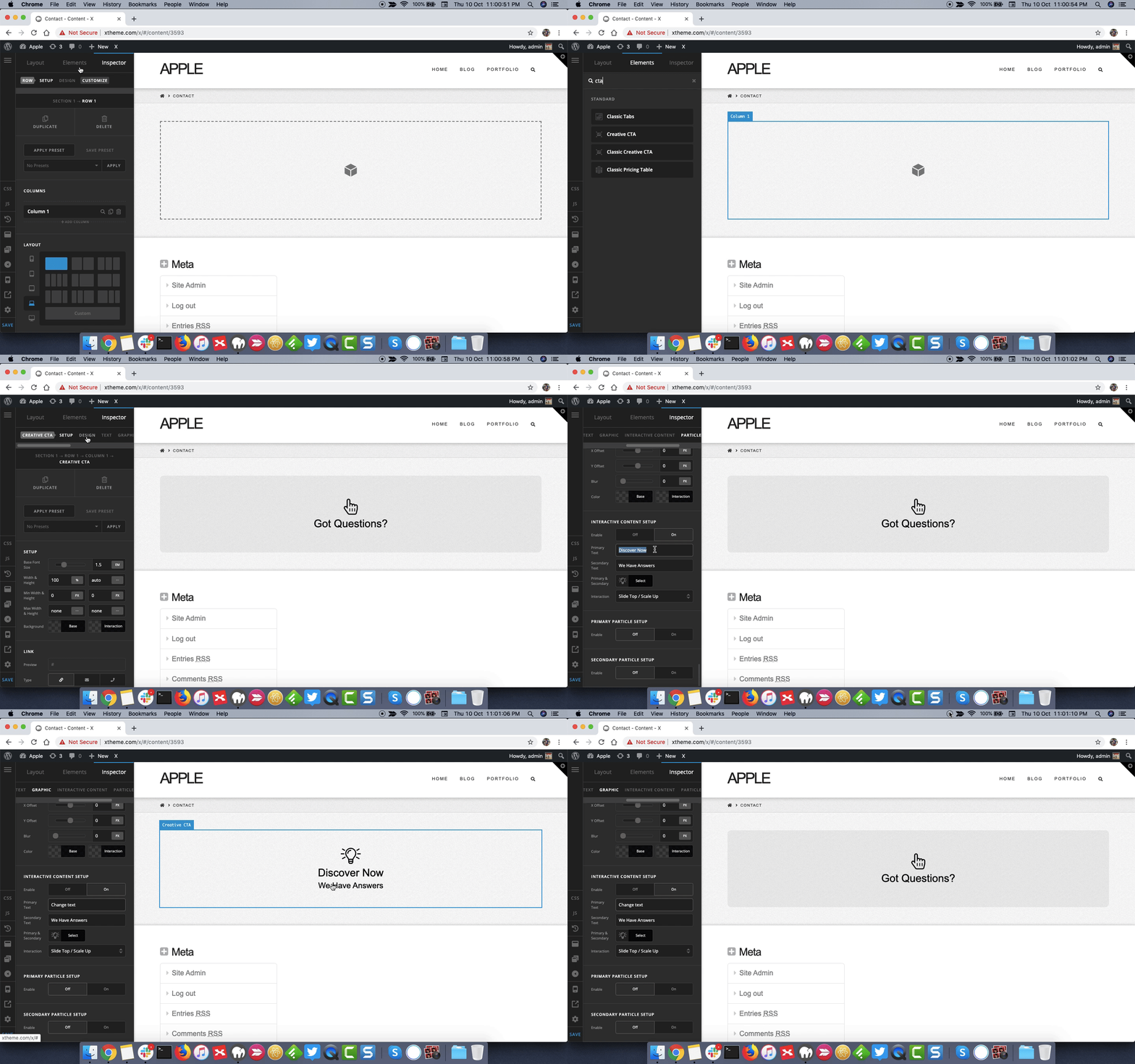
When I click on the CTA element, there is only a box to allow me to edit the front text. I can’t find any way to edit this reverse:

I have attached a screen shot of all available editing features for the CTA:

many thanks
1 Like

Hello Brett,

Thanks for writing in!

Please inspect the CTa element and in settings panel please do horizontal scroll and under Interactive Content > Interactive Content Setup, you can change the text.

Here’s a screencast that you can take a look.

Thanks.

This topic was automatically closed 10 days after the last reply. New replies are no longer allowed.