Can't find my CSS

Hi There,
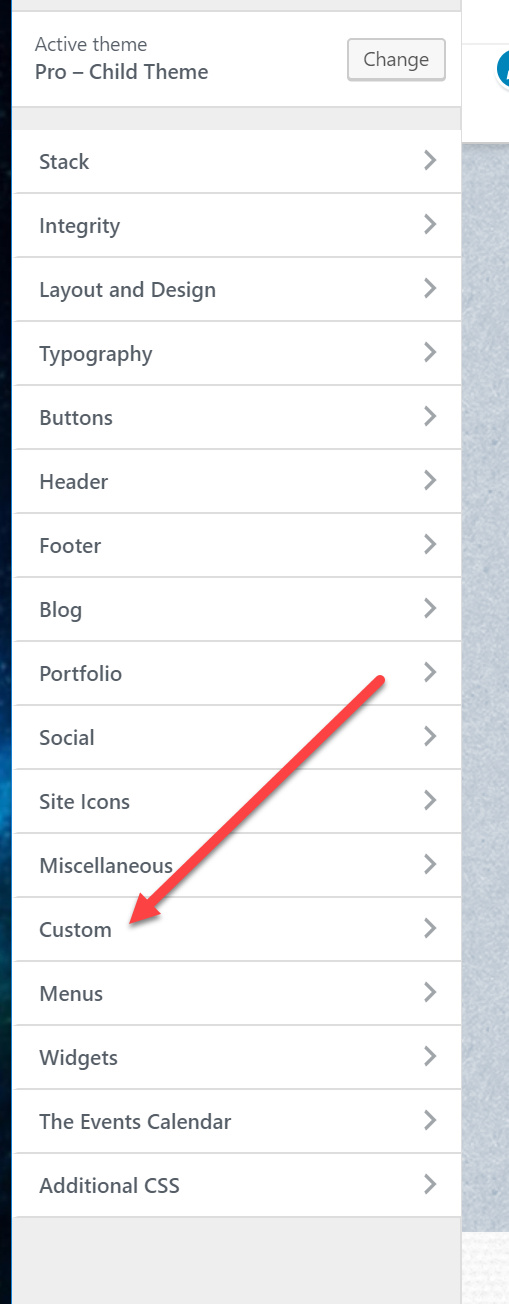
I updated Pro last night and today went to edit my CSS and can’t get into it. I used to get to it by going to appearance/customize. Once there, I had the option of going to CSS or Java. Now, neither one is available.

Or, I used to be able to access using the “Customize” link in the top nav of the WP admin. Now when I click there, I get a limited number of options. One is “Additional CSS” but I don’t see my CSS there. I’ve got over 1200 lines of CSS and can’t get to it.

Help!

Thanks in advance for your help.
N.

Hi N,

Did you placed the custom CSS codes in the Global CSS? If you updated from an older version of X or Pro, you could find the Global CSS in X/Pro > Theme Options > CSS.

Hi Jade,
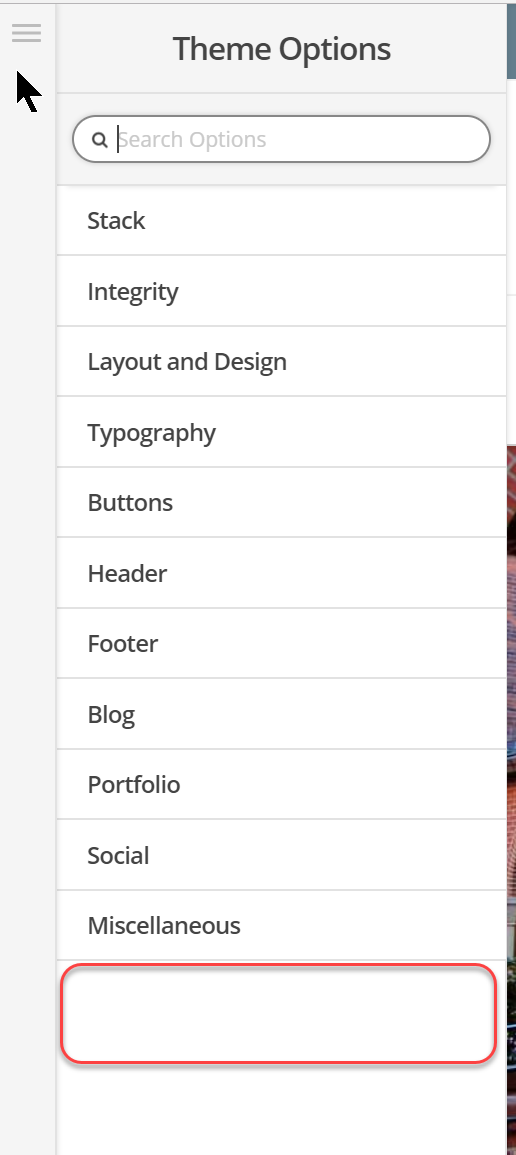
Wow! I finally found it. But I have to tell you, this is not what I would call a good admin experience. The problem is that your screen shot looks identical to the lower left corner of every page when editing in Cornerstone within Pro. Only when you click on those CSS icons/tiles, only the CSS you’ve entered for that particular page displays. So at first, I thought your screen shot was of a typical page in Pro Cornerstone edit mode.

I’d like to request that you keep/put back that CSS button that used to be there. See screen shot below.

It is so misleading as it currently is. It just looks like it’s missing:

At least I know where it is now, so thanks very much for your prompt reply. I really do appreciate it. And I hope you don’t mind the feedback!!!

Best and with much appreciation,
Nancy

Hi there,

The theme now uses Theme Options instead of the customizer, I recommend using that. Some of the options are still in the customizer just for backward compatibility. There are Global CSS and Local CSS, the global one is always in the Theme Options while in the local one is always present in the builder. They are of course in the same place for easy familiarization.

I think customizer was from 3.0 version, the recent versions are now different.

Thanks!

Yep, I see that and I understand everything you are telling me. My point is that you are using the same icon in the same place on a page to point to two different things. If you are in the theme options, it takes you to the global CSS. If you are on a page, that same icon takes you to the CSS on that page. This is not a best practice aka: it’s confusing to the admin. And yeah, I get that once you find it, you now know the convoluted way to get back to it again. It’s just not intuitive. I don’t know why you cant just add in that nice big button that when clicked, would take the admin to the global CSS. Or, use a different icon so the end user can distinguish what’s what.

That’s all I am saying. Sorry to be so blunt about it. I know you all work really hard to improve workflow and functionality. In this case, I think you made it more difficult. I should be able to find things without having to contact support.

Thanks again.

Hi Nancy,

We do appreciate your feedback and this is totally something we could improve to make it more intuitive.

I have added this to our feature request list so that it will be considered in future development.

Thank you!

Thanks so much Jade. Wow, I read that last email I wrote, and it was a little harsh! So sorry about that. Anyway, thanks so much for adding it to the list!!

And thanks for putting up with me in a rather cranky mood!!!
N.

Hi again,

Your helpful comments are much appreciated and your valuable feedback will help us to continually improve. we’re glad we could help.

Cheers!

This topic was automatically closed 10 days after the last reply. New replies are no longer allowed.