I am probably doing something silly and missing how easy it is, i need to be able to change the categories and features of articles on home page and i have forgotten where the setting is.
Can anyone enlighten me?
Hi There,
Are you referring to this site: https://theothersidepress.com/?
If yes, and are you referring to articles on the carousel (This is the articles at the very top), it depends on the settings you have set on X > Launch > Theme Options > Ethos > Post Carousel: Display:
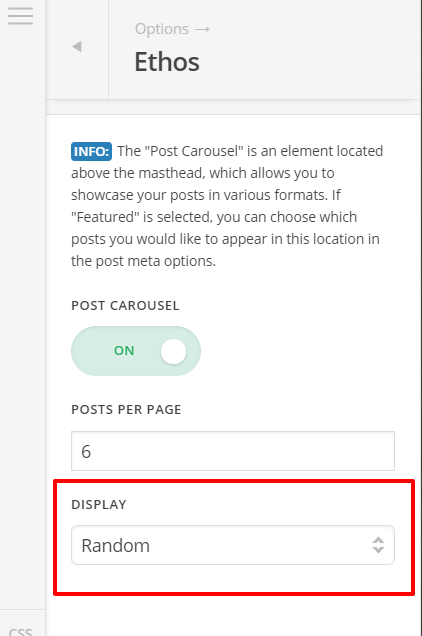
In case you choose Featured from Display dropdown, you can see the following on each of your post settings: 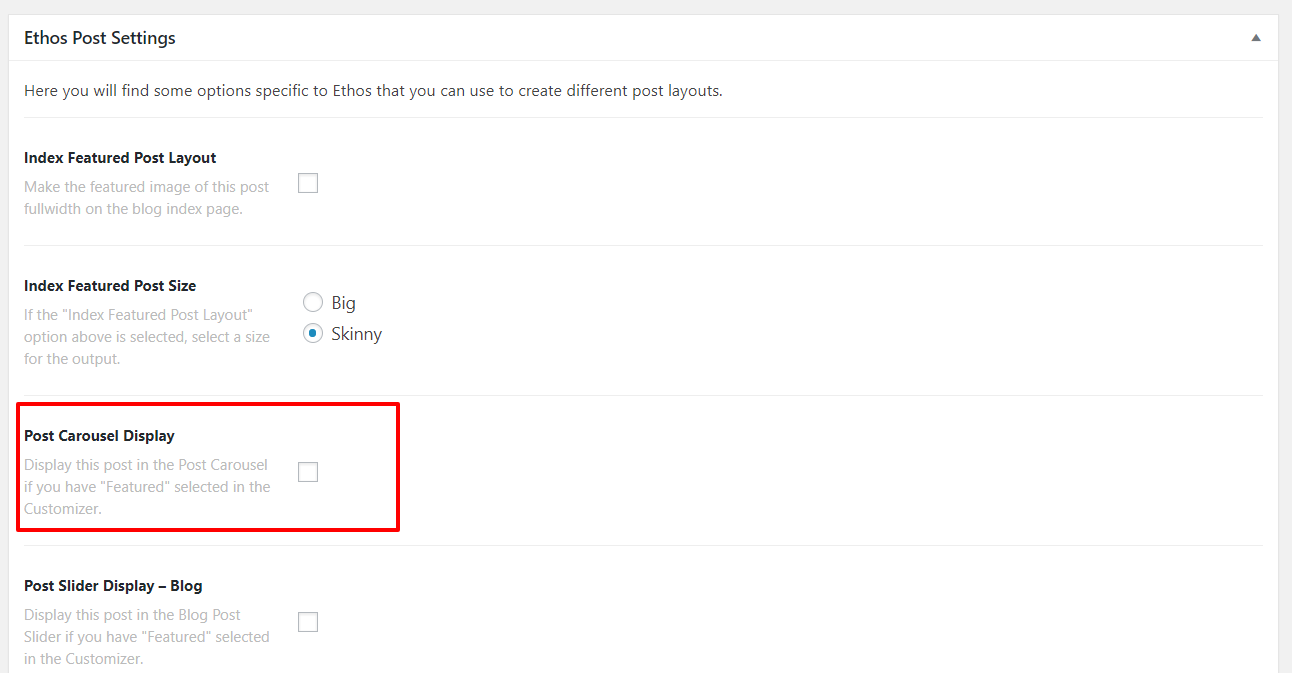
Enabling the checkbox on Post Carousel Display means that specific post will be available on the carousel.
If you are referring to Blog Slider, it is controlled by this settings X > Launch > Theme Options > Ethos > Blog Slider
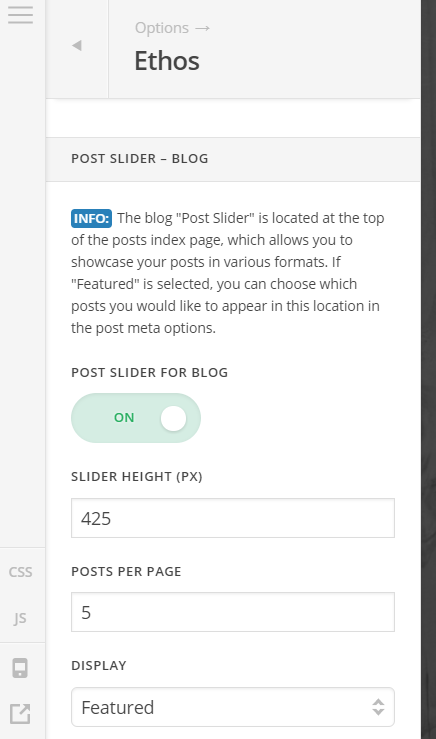
Then on Ethos Post settings this part:
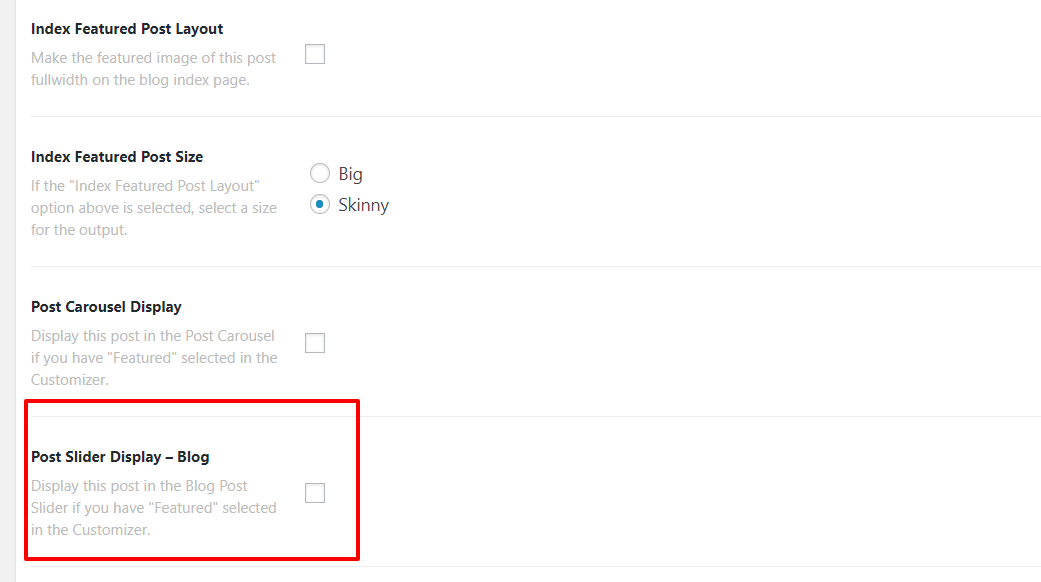
Enabling the checkbox means the post will show on the slider.
For future reference, please do not bump your thread. We’re answering from oldest to newest and bumping your own thread will push it back on the queue.
Hope this helps.
I am still seeing that old featured posts are showing and new ones are failing to show.
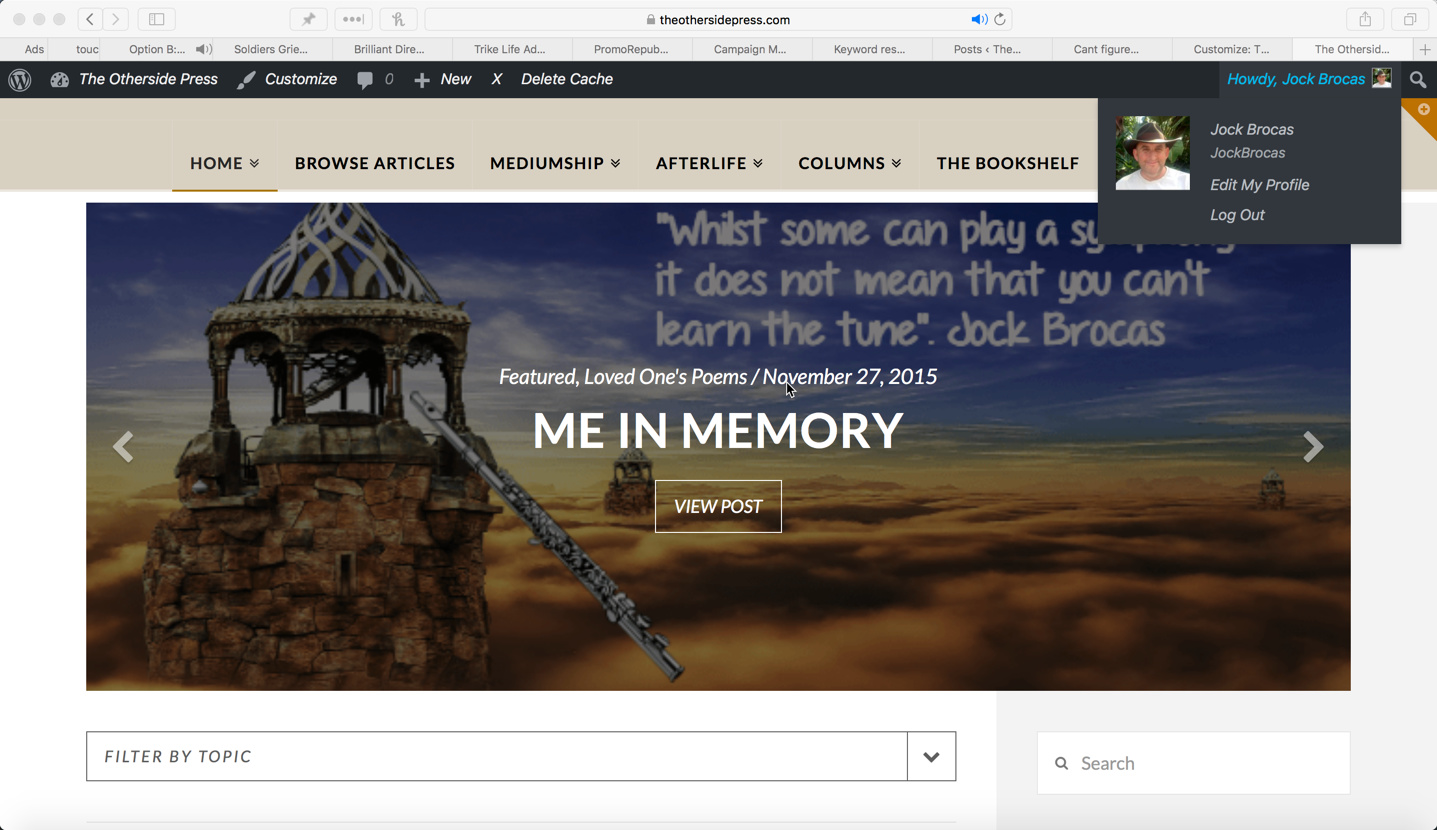
Its these posts and images that are old and the new ones wont show
i would also like to turn of the date and the category info on the post image
Hi there,
Please provide your login credentials in a secure note and I’ll check those posts. For the meantime, please make sure you’re changing the options for post slider and not for post carousel, they are different.
As for data and category, please add this CSS to your global custom CSS.
.x-post-slider-entry .featured-meta {
display: none;
}
Thanks!
This topic was automatically closed 10 days after the last reply. New replies are no longer allowed.