Hi, I am unable to delete Global Blocks through Cornersteone. Something has gone wrong. When I create a new global block it has a row that automatically shows up.
Hi Ravi,
Thank you for writing in and for the credentials, but what is your login page? I tried /wp-admin and wp-login.php and both returns a 404 - Not Found error.

And point us to your page that containing the problematic Global Block so we can take a closer look.
Thanks,
I updated the secure note for the path to wp-admin.
I have included the global block at the bottom of all the pages and posts using functions.php.
Thanks.
Hello Ravi,
Are you referring to this block?
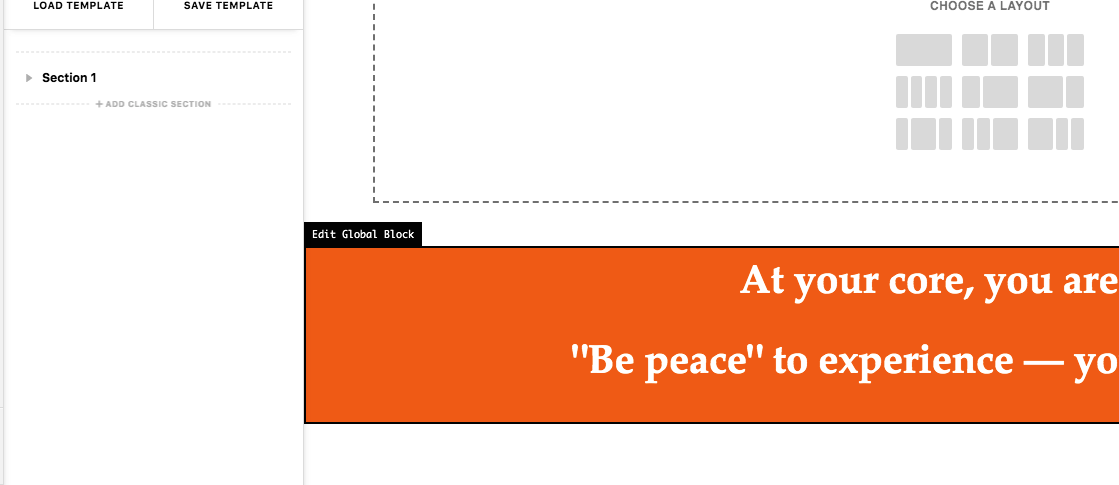
It is because you added this PHP code in your child theme’s functions.php file:
function fullwidth_global_block() {

// Do not check if it is a single post - do this for all pages and posts. Below code checks if it is a single post.
//	if (is_single()) {
		echo do_shortcode('[cs_gb id=2943]');
//	}
}
add_action('x_before_site_end', 'fullwidth_global_block');
You may need to update your code and add a condition in which you will have to display your orange global block. To get familiar with the available WordPress conditions, please check this codex:
- https://developer.wordpress.org/themes/references/list-of-conditional-tags/
- https://developer.wordpress.org/themes/basics/conditional-tags/
Hope this helps.
This topic was automatically closed 10 days after the last reply. New replies are no longer allowed.