Trying to edit the posts page an am getting this error: A conflict on the front end of your site has prevented the preview from loading. website is www.vivalogue.com. Want News page to look like others, but cannot edit in Cornerstone and text added to normal editor not recognised
Hi,
Thanks for writing in!
Please note that if a page is set as posts page, you can no longer edit it in Cornerstone.
It will be automatically loaded by your posts.
If you want a standard format you may select that option in Appearance > Customize > Blog > Style > Standard
Thanks
Hi,
I’ve got the same problem: I was able to edit my Posts page in Pro, but then, when I tried again editing the page, I wasn’t able anymore to do that and I got (like now) this error.
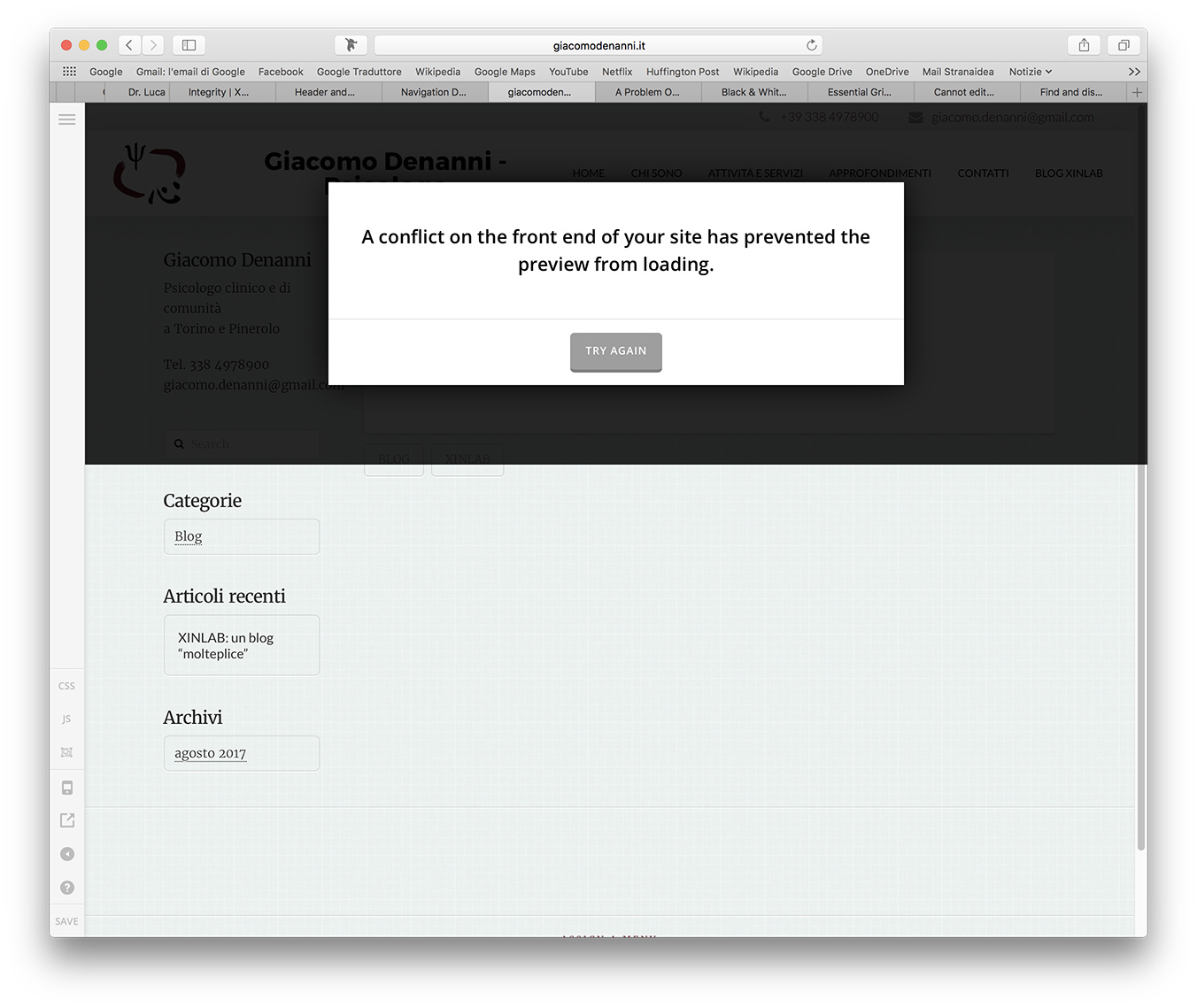
How can I fix this issue?
Thanks!
Hey There,
Would you mind providing us with login credentials so we can take a closer look? Please provide following information:
Set it as Secure Note
- Link to your site
- WordPress Admin username / password
All the best!
Ok,
I think I have make a Secure Note. It’s the first one for me so I hope I made it right.
Let me know something as soon as possible, please!
Hi There,
The page you selected to display your latest posts, also known as your Blog page, is not editable as it will display your products automatically.
You can edit your posts,but not the blog page.
Hope it clarifies
Ok, thank you.
Why is it so? Is there something to do with the template I was using in X (before upgrading to Pro)?
Hi There,
No, on Wordpress in general your blog page cannot be edited.
If you want to have a blog page that you can edit, you wont use as a blog page the page you set on Wp Admin : Settings : Read as your latest posts page.
You can instead create a normal page edit with Cornerstone and display your posts using the Recent Posts Element or you can create a grid using The Grid addon, using your posts as a source which also can be used to display the posts.on your Cornerstone page.
Hope it helps!