Cannot Activate Superfly

I have a brand new installation of Wordpress, with only the theme and included extensions included. Every extension will install and activate except for Superfly. I read other posts and followed the instructions with no avail.

-This is a brand new installation of Wordpress.
-There are no other plugins except what was included.
-I disabled other plugins to verify there’s no conflict.
-Everything is updated.
-I increased the memory size of the server.

One thing that is interesting, when I click “Install” from the “X” menu it does spend time downloading. It’s only when I click “Activate” that I receive the error “Error encountered. Details”. But when I click on details, a lightbox with nothing in it appears. At this point I can see the plugin under the Wordpress plugin menu. But I cannot activate it through the “X” menu. Thank you for your help.

-Rudy

(P.S. I would like to use the Agency demo content)

Hi Rudy,

We need admin login to be able to check on this.
The login provide has very limited access

Were you able to activate it under the plugins page? Try to delete the plugin and install it again.

Thanks

Sorry for that, I thought I made it with admin privileges. That’s corrected now, you should be able to use that.

Yes, I can activate it directly from the plugins menu, but then it does not match the demo content. It appears like the original menu inside of the Agency demo. I’ve also tried activating it and re-installing the demo content with no luck. You should be able to login and see that now.

Hi Rudy,

SuperFly menu should serve as an additional menu but it’s not going to replace the existing and default theme menu automatically.

I checked and your SuperFly menu isn’t configured yet, please check this http://superfly.looks-awesome.com/docs/Getting_Started/Creating_Your_First_Menu

And this is your current setup

But I went ahead and added a menu to your SuperFly just to make sure it works correctly, and I also enabled the button. SuperFly should be showing on your site now.

Thanks!

I see what you mean/did. I notice the hamburger menu on the top left. But the main navigation for the website itself does not match the original agency demo content. If you compare the top nav from this install and the top nav from the demo content they are dramatically different now?

Here are a screenshots to show the obvious difference:
What the site looks like now:

What the demo content should look like:

These are screenshots from desktop.

I haven’t changed any css/scripts on the site. This is still a brand new install. Please advise.

Hello Rudy,

That is because you have the UberMenu installed and activated on your site.

Try disabling it and you should be able to use the normal menu that comes with the demo content.

Hope this helps.

Thank you Rad/Jade, that totally solved the problems!

Sorry to have so many questions, but I have one last (hopefully easy) question. I’ve updated the nav link colors and slider on page, but there is still a mysterious light blue that appears under the links in the top nav. No matter which color I alter in the editor, that light blue is always there. How do I change this color? It appears on the active page and hover links. I’ve attached screenshots…

Thank you for your help again!

Hi,

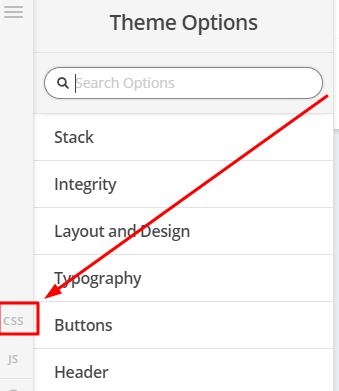
To change it, you can add the code below in Theme Options > CSS

.x-navbar .desktop .x-nav > li > a:hover, .x-navbar .desktop .x-nav > .x-active > a, .x-navbar .desktop .x-nav > .current-menu-item > a {
    box-shadow: 0 2px 0 0 #02aed6;
}

Please change #02aed6 with the color that you like.

Thanks

This topic was automatically closed 10 days after the last reply. New replies are no longer allowed.