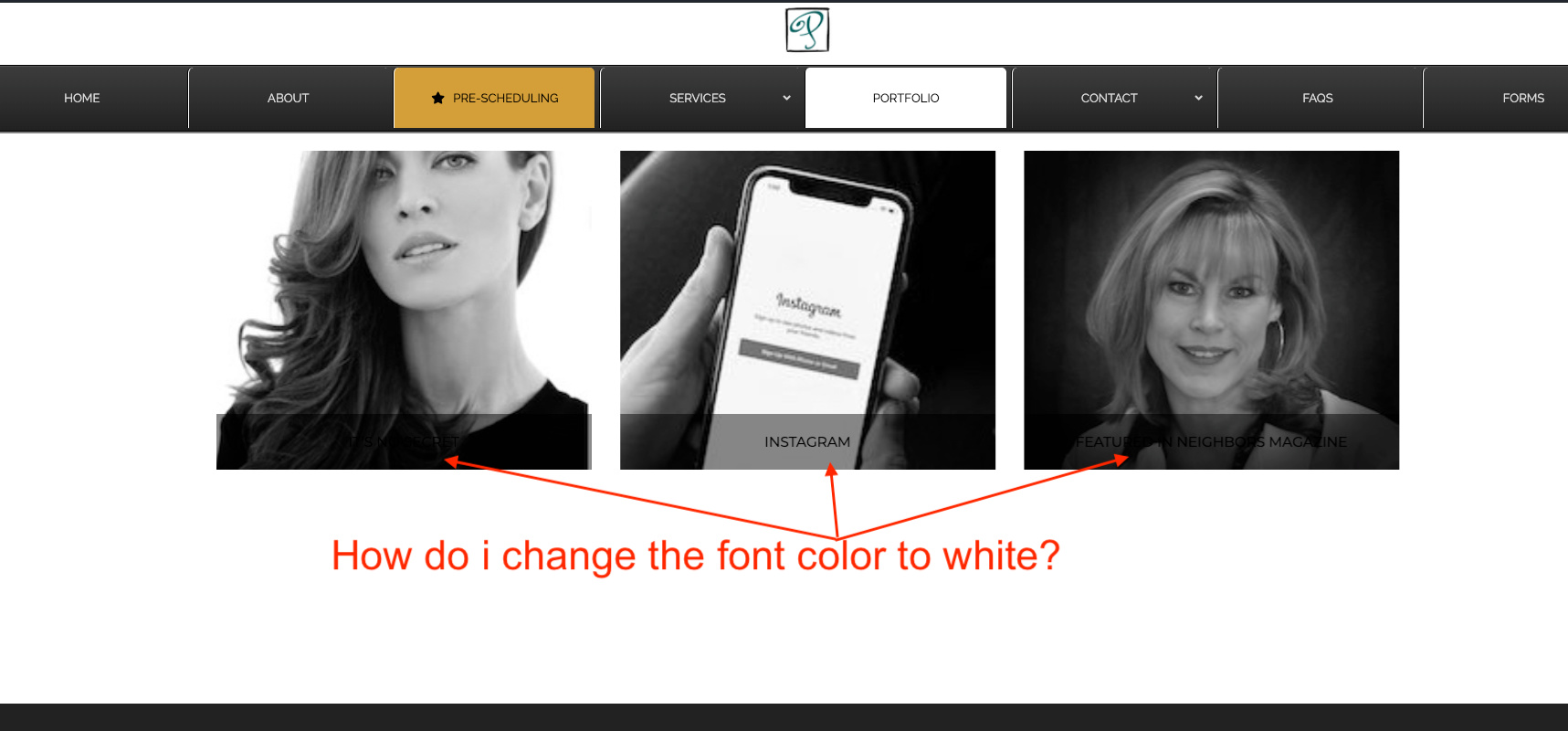
and how to increase the margin or padding above the three images?
and how to increase the margin or padding above the three images?
Hi @janequade,
Thank you for writing in, that is actually a white text by default but it was overwritten by a custom CSS on your Theme Options > CSS
This:
.blog h1, .blog h2, .blog h3, .blog h4, .blog h5, .blog h6, .blog .h1, .blog .h2, .blog .h3, .blog .h4, .blog .h5, .blog .h6, .blog h1 a, .blog h2 a, .blog h3 a, .blog h4 a, .blog h5 a, .blog h6 a, .blog .h1 a, .blog .h2 a, .blog .h3 a, .blog .h4 a, .blog .h5 a, .blog .h6 a, .blog blockquote {
	color: #000 !important;
}
and this:
.blog h2 {
    color: #000;
}
To re-style that text back to white, you need to either remove those custom CSS I mentioned above,
or
Add this to Theme Options > CSS
a.entry-cover h2.h-entry-cover {
	color: #fff !important;
}
Hope it helps,
Cheers!
THANKS! I added the custom CSS as suggested.
Hi @janequade,
Please also add this custom CSS:
.blog .x-container.max.width.main {
    margin-top: 145px;
}
And this custom CSS as well:
.single-post .entry-featured {
    display: none;
}
Hope it helps 
Aweseomeness! Thanks so much.
You’re welcome.
This topic was automatically closed 10 days after the last reply. New replies are no longer allowed.
