
As you can see as I open this on Chrome, the right-side gap is much more than the left side, but I set it equally, can you help me how to resolve this?
As you can see as I open this on Chrome, the right-side gap is much more than the left side, but I set it equally, can you help me how to resolve this?
Hi Saswata,
The left and right space is actually even. Please see below:
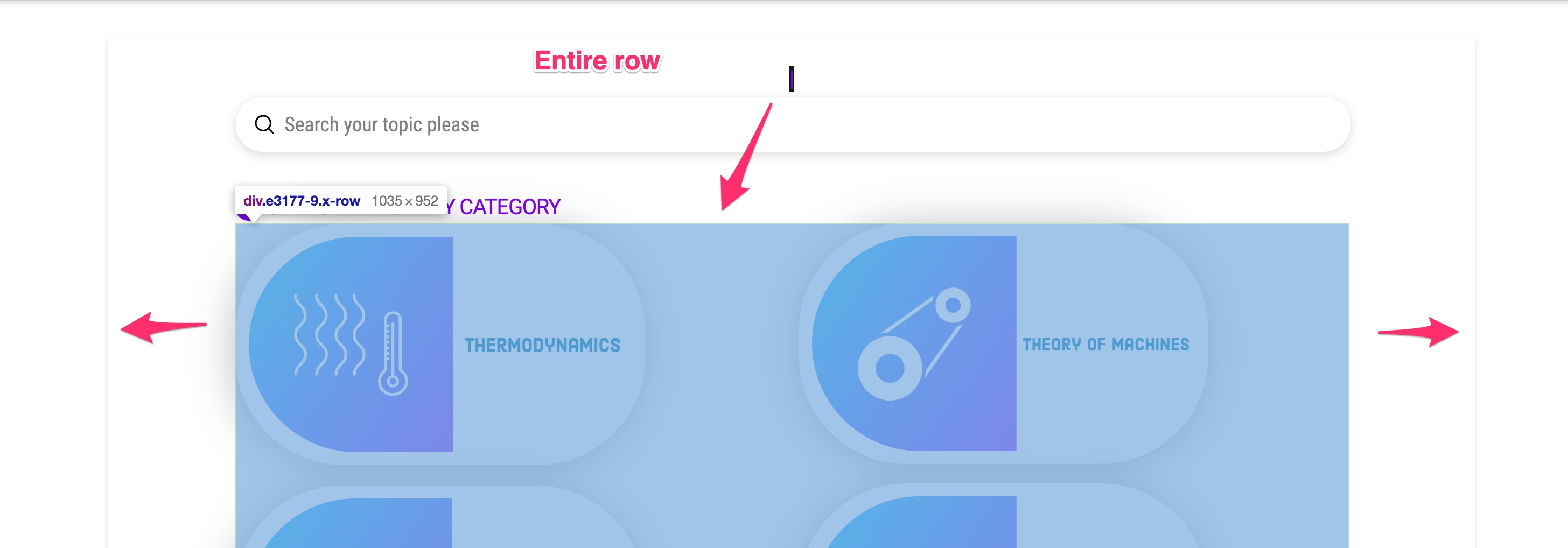
The issue is that, since the items inside each column aligns to the left and does not fill the entire column width, it makes it look like there is more space in the right area of the page content.
What you can do is to try setting the text align option of the columns to center.
Hope this helps.
You’re welcome, Saswata.
This topic was automatically closed 10 days after the last reply. New replies are no longer allowed.