Hi,
Search result image sizes are HUGE. Can I change their size?
Thank you.
Hi,
Search result image sizes are HUGE. Can I change their size?
Thank you.
Hello @chevril,
Thanks for asking. 
Yes, absolutely. Please note that I am assuming you are looking to change search result featured image size. To do that please add following CSS under X > Launch > Options > CSS:
.search-results .entry-featured a img {min-width: 80% !important; max-width: 80% !important; margin: 0 auto; display: block;}
.search-results .entry-thumb {background-color: transparent; margin: 0 auto; display: block;}
.search-results .entry-featured {border: 0; box-shadow: none;}
Thanks.
Hi,
I went to X > Launch > Options > but I couldn’t see anywhere to enter CSS commands. What should I do please? Thank you.
Hi there,
At the options screen you will see a CSS item:
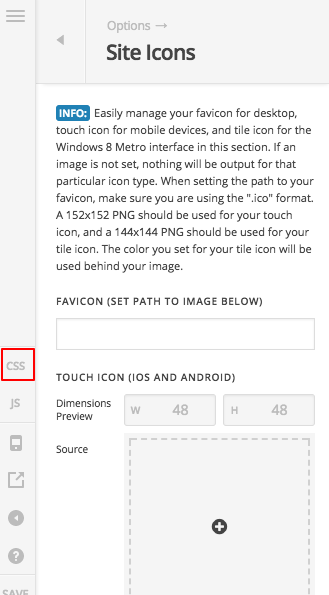
Click on that and you will see a section to add the code which Prasant gave:
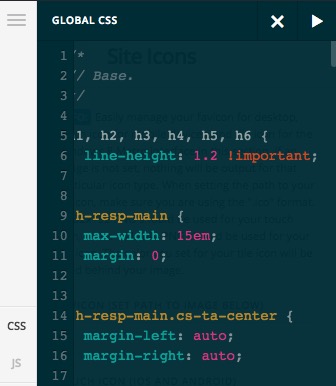
Thank you,
This topic was automatically closed 10 days after the last reply. New replies are no longer allowed.