Calc(228.5%) is included as well as .h-responsive text in headings but not the copy settings

Hi Team,

I have downloaded the integrity demo to better understand the implementation of responsive text settings. The heading in the example has the class resp-h-timeline set-up in customise and then I notice that the headings text font format and size is calc(228.5%). I then checked the copy content below the heading and this does not have a calc setting but instead its 1REM.

  1. Can you explain why the headings require this additional calc setting?

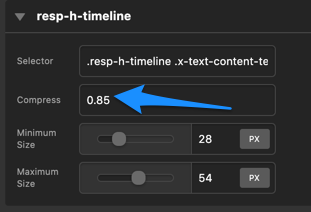
  2. What is the compressed number achieve when added to the responsive text settings?
    Home_-Content-_Pro

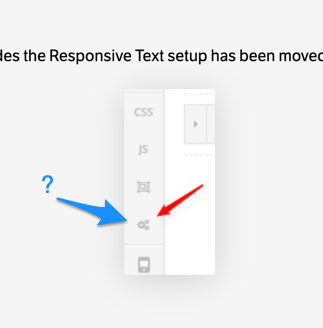
  3. I noticed that the responsive text setting button is not included in my sidebar as in the example?
    Change_h-responsive_settings_in_NEW_cornerstone__-Support-_Themeco_Forum

Hi Rob,

Thank you for writing in, 1.) the design of that headline is to be 228.5% but the font-size option does not offer percentage % unit so it ends up using the calc() CSS function.

2.) Compression , set any number from 0.1 on up, adjust the number to suit your needs. Think of this as how drastic the font would compress from one screen size to another. Please do keep in mind that because this Responsive Text settings will be applied as inline styling it will overwrite the font-size set on your element configuration, in this context the calc(228.5%) will be overwritten, by the value of Responsive Text.

3.) I think that screenshot is from the old version, please see Settings > Page Settings > Responsive Text

Hope it helps,
Cheers!

This topic was automatically closed 10 days after the last reply. New replies are no longer allowed.