Buttons in Header Overlapping

Hello,

I have two bars in my header. One is visible only on desktop and laptops. The other is visible on every other device. When I have the website up and make the window bigger or smaller, some of the buttons overlap.
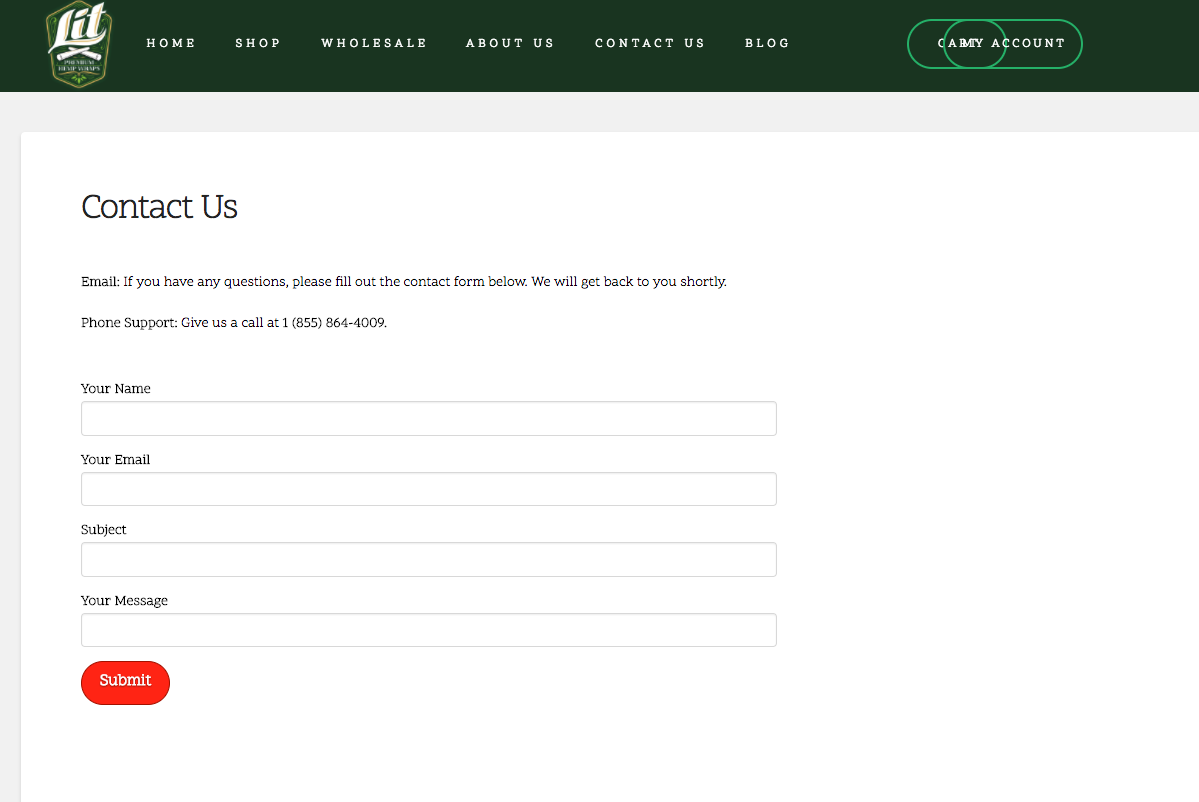
As you can see the two buttons on the right side overlap.

I need it to look like this on all size windows:
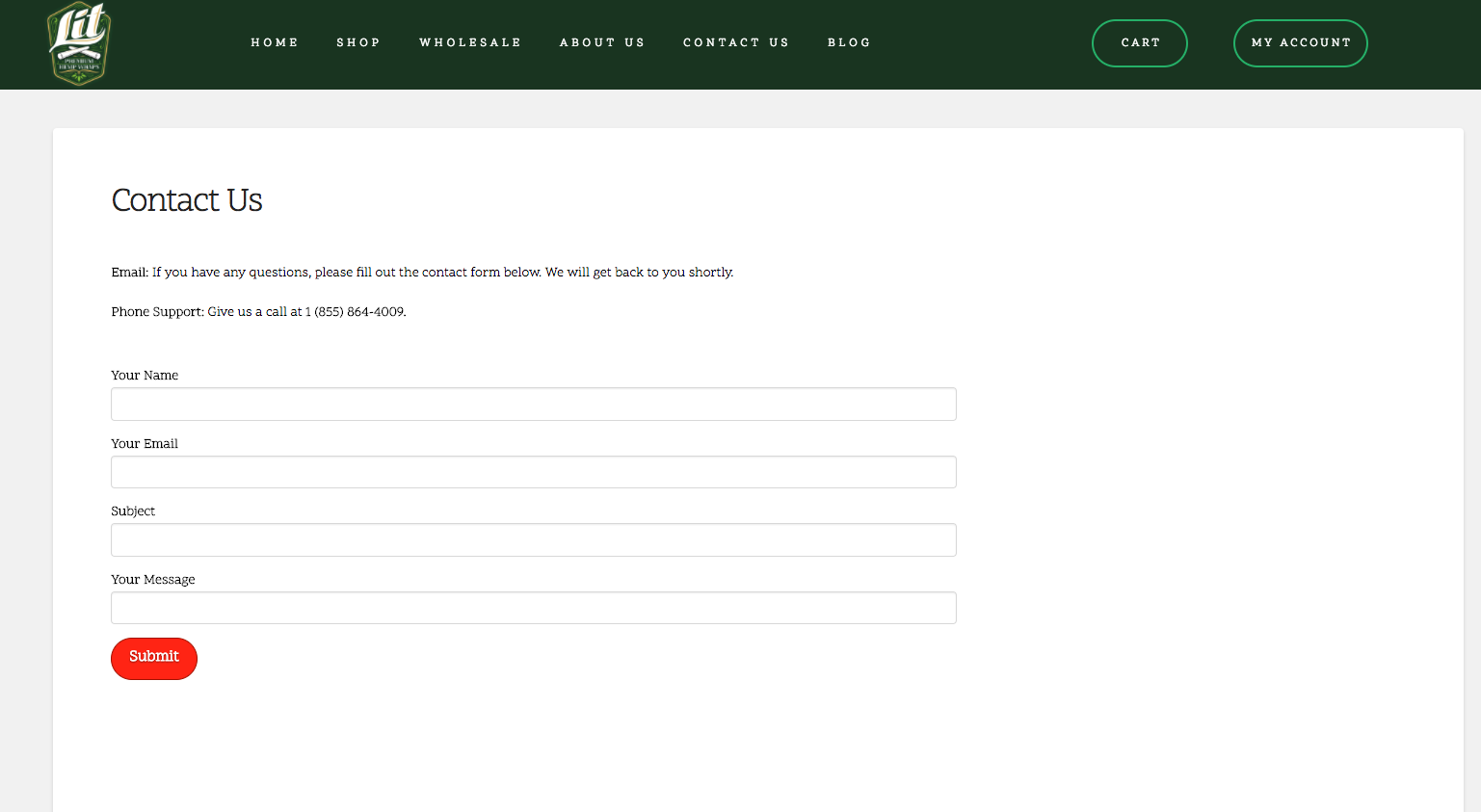
How can I fix this so the buttons don’t overlap?

Hi,

Thanks for writing in! To assist you with this issue, we’ll first need you to provide us with your URL. This is to ensure that we can provide you with a tailored answer to your situation. Once you have provided us with your URL, we will be happy to assist you with everything.

Thank you.

https://www.litculture.com/

Hi,

Sorry for not asking this the first time but we need to check your PRO header element settings.

Would you mind providing us with login credentials so we can take a closer look? Please provide following information:

Set it as Secure Note

  • Link to your site
  • WordPress Admin username / password

All the best!

Just added the note, thanks!

Hello There,

Thanks for providing the information. To resolve your issue, you will need to do the following:
1.) Please set a maximum width for your bar.
2.) In the bar container of the buttons, please remove the negative margin.
3.) You may need to remove the padding as well.

If you have set a maximum width, you may not need the margin and padding for your bar containers.

Please let us know how it goes.

RueNel,

That appears to have worked. Thank you so much!

You’re welcome.