Button is responsive, text inside is not. Help is appreciated!

Hi there!
Is there a way to make the text on a button element responsive? The text is not changing size, and when it scales to the smallest size (XS) the text is dropping to three lines (increasing the height of the button) instead of scaling. This is a problem because I have a max-height parameter set on the button and the text is falling below the button bounds.

I have set the pixel size points for each screen size, and it has an effect everywhere else except for on the button.

Any help with this issue is appreciated.
Hey Jonathan,

Thanks for reaching out. I already responded to this issue in One Support.

Please check that out.

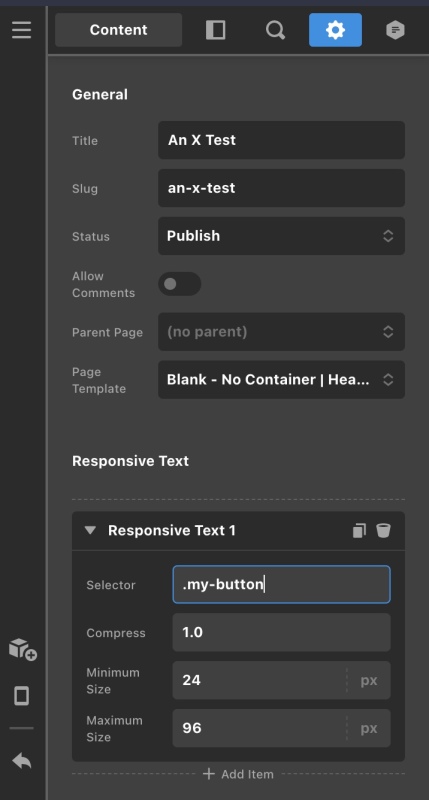
To get your issue resolve, you can make use of the Responsive Text found in the Page Settings. Simply add a custom .my-button class in your button element and then add .my-button .x-anchor-text-primary class selector in the responsive text setting. This makes sure that the button text will scale down on smaller screens.

Screen-Shot-2021-02-21-at-4-54-44-AM.jpg

If this does not help, please provide us access so we can check your button settings.

This topic was automatically closed 10 days after the last reply. New replies are no longer allowed.