Bullet points between columns and Uncentered Headline Text on Mobile

Two questions:

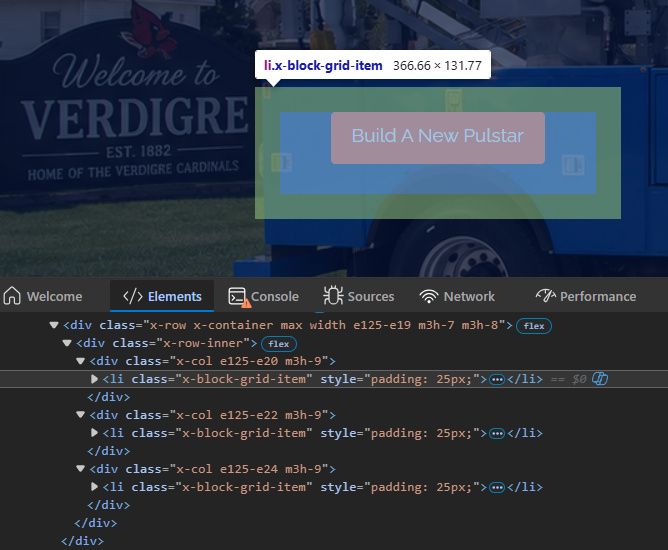
  • I was updating the main hero of a home page from the classic sections to the new sections and when I added a 3-column row with a button in each, I noticed there were bullet points between the columns that I didn’t add. I was able to mark them out with the following CSS, but is there not a better way to do this? Adding bullet points between columns seems weird if it’s by default, and having no option but to add CSS to get rid of them also seems unmodern.

.x-col, .x-col .x-anchor, .x-row-inner > li {
list-style: none !important;
list-style-type: none !important;
}

  • Next question is that I noticed when I added the text field, it’s centered on desktop but not centered on mobile. In fact, the text isn’t even centered to itself.

Just wanted to give an update that I figured out why the text wasn’t centering. In case anyone else is having the same issue, I went into the text settings, clicked on the word ‘text’, selected the mobile icon and adjusted the text size just for mobile. I also had to do the same for the width of the div, so I went into the div settings, went to the width section, clicked on the word ‘width’, selected the mobile icon and played with the settings there.

So now I’m just curious about why bullet points were added to a new 3-column section I added, and if there’s another way to get rid of them besides the css I posted above. Thanks

Hello @ppe29,

Thanks for writing to us.

At the moment, there isn’t a built-in option to disable those list markers. Using custom CSS, as you’ve done, is the recommended approach.

Thanks

OK thanks for the reply