Hey William,
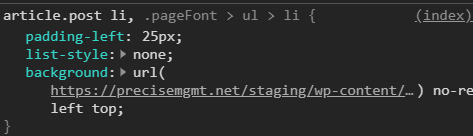
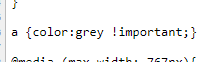
Your problems come from custom CSS. Please remove the CSS code shown in the screenshots below.
Your custom bullet CSS comes from **X > Theme Options > CSS
The gray link color comes from your custom CSS in Appearance > Customize > Additional CSS.
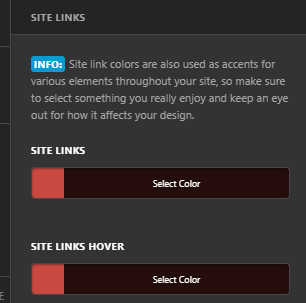
After that, set the Global Link color in Theme Options > Typography > Site Links.
Our theme does not add an underline for links by design. You’d need to customize the link using CSS. Because this is a minor cosmetic change, I’ll provide the CSS code. Add the code below in Theme Options > CSS.
a {
    text-decoration: underline;
}
Please just note that we do not normally provide custom codes and we do not fix custom code issues. My purpose of providing you the code is to help you get started with coding if options are not available.
Hope that helps and thank you for understanding.
