Breadcrumbs Customization

Hello!

Currently, breadcrumbs are appearing in my Woocommerce store but only on mobile.

How do I:

  1. Customize my breadcrumb text color?
  2. Customize my breadcrumb background color?
  3. Customize my breadcrumb section width?

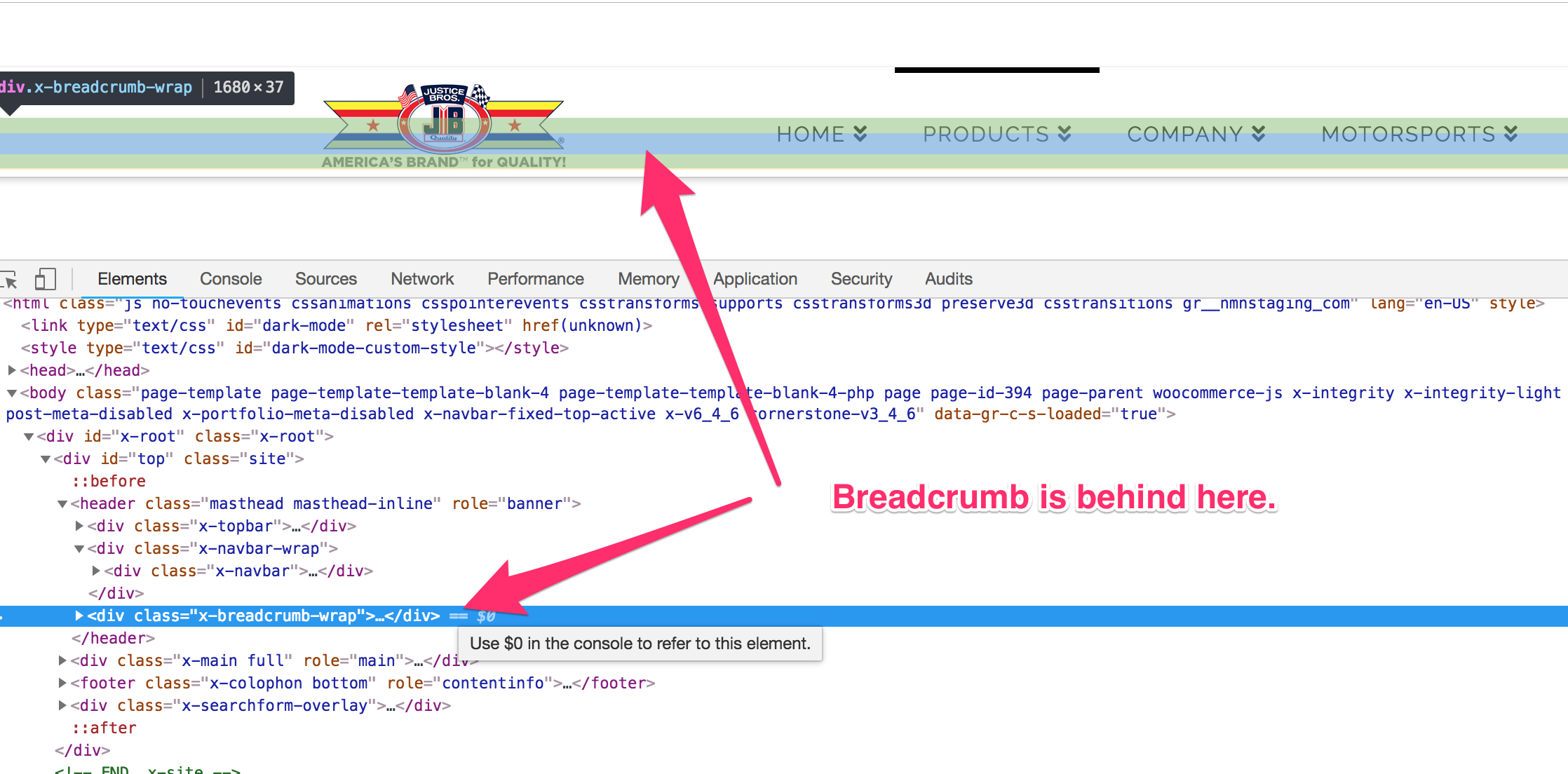
Also I noted that my breadcrumbs are hidden when in widescreen. I can see my breadcrumbs when I go to mobile or laptop. I think the widescreen needs more space for breadcrumbs.
http://nmnstaging.com/products/

Thank you for the help!

Hello Michael,

Thanks for asking. :slight_smile:

Please add following CSS under X > Theme Options > CSS:

.x-breadcrumb-wrap a, .x-breadcrumbs .delimiter {
    color: #000;
}

.x-breadcrumb-wrap {
    background-color: #ddd;
}

Can you please elaborate above question?

Here are some related links for further reading:

Hope this helps.

Thank you! However that only solved half my problem.
I still need…

Also I noted that my breadcrumbs are hidden when in widescreen. I can see my breadcrumbs when I go to mobile or laptop. I think the widescreen needs more space for breadcrumbs.
http://nmnstaging.com/products/

Hello Michael,

Actually, the breadcrumbs is present on the pages but get covered by the header area.

This is because the value set in Navbar Top Height (px) which you can find in X > Theme Options > Header is a lot less to contain the header area. Please try setting it from 35 to somewhere around 80.

Hope this helps.

This topic was automatically closed 10 days after the last reply. New replies are no longer allowed.