Breadcrumb Trail skewed to the left on Posts Page

Hello, the X and Pro themes are my two favorite themes. I really like the Ethos version! I have more than 20 licenses and have almost that many nice looking websites. This site is using the Pro theme and Ethos version.

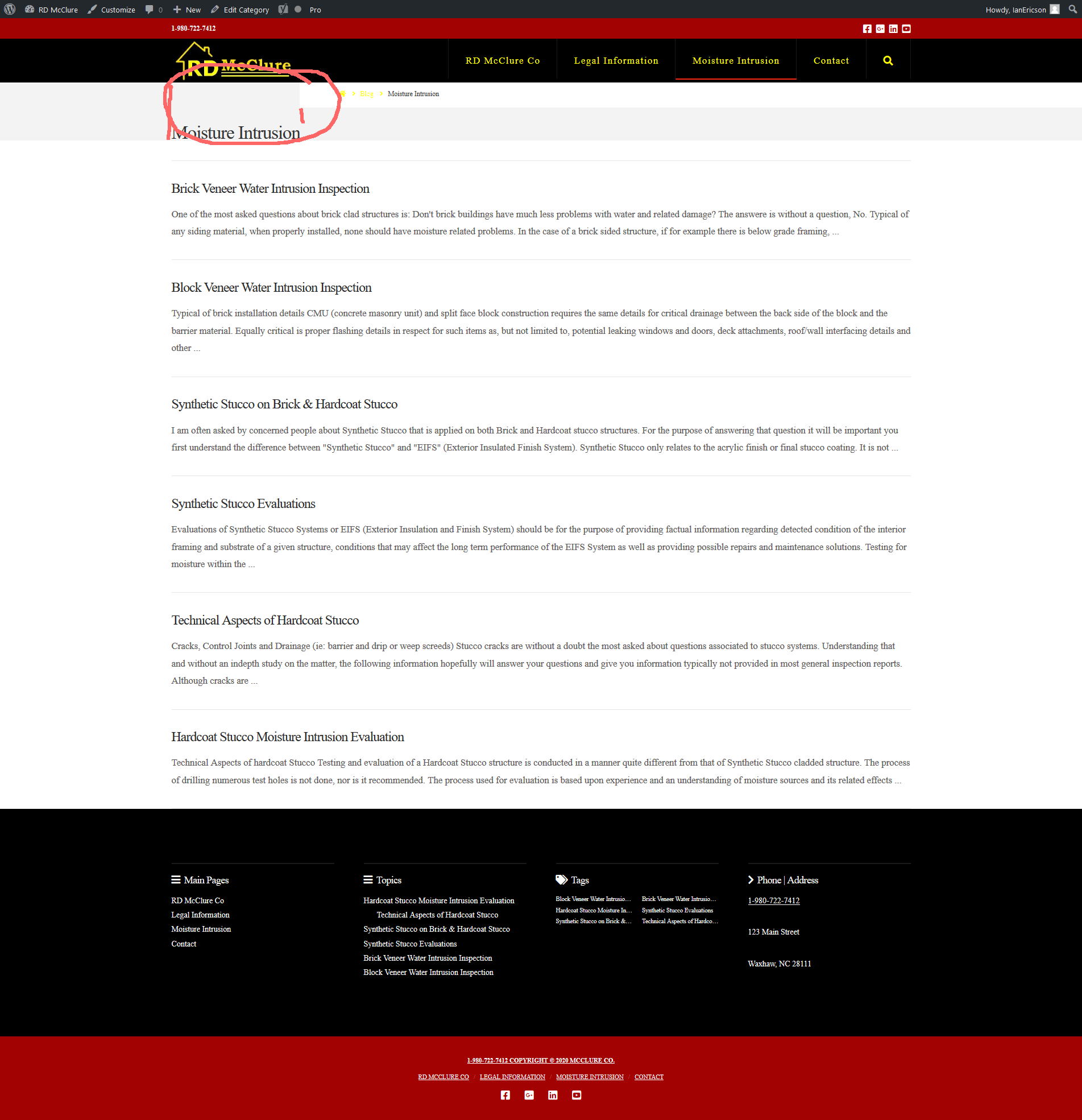
I have one thing which is not displaying quite right on one page of one site. The Breadcrumbs on the Posts page are displaying but about an inch too far to the right. https://www.temporaryserver15.com/Topics/moisture-intrusion/
The Moisture Intrusion page is a category page.

Also, is there some css which could make the breadcrumbs black or a different color other than the yellow?

I am attaching a screenshot.
Hi Jon,

Thank you for writing in, your Navbar Top Height is a bit short and that causes the Breadcrumb issue, please adjust it to around 75px


Regarding the Breadcrumb’s links color, please add this to Theme Options > CSS

.x-breadcrumb-wrap a,
.x-breadcrumbs .delimiter {
	color: black;
}

You can find the proper CSS code selector using the Chrome browser Developer Toolbar
For the CSS code itself, I suggest that you get started with this tutorial

Hope it helps,
Cheers!

This topic was automatically closed 10 days after the last reply. New replies are no longer allowed.
