Bottom Footer Text hidden below window in Pro using Global Block

Hello,

I have created a global block to achieve a Pro footer with a stacked logo and social / contact details.

The Global block and Footer look fine in the Pro editor under various screen sizes but when I view it live in Chrome, then resize the window width to check various display sizes and layouts, the spacing at the bottom of the footer changes so dramatically that the bottom line (QBCC number) is hidden below the window view area.

I’ve specified an REM gap of 3 below the bottom Section and or Row, but neither helped.

I’m confused about different application of REM vs EM, but want the spacing to look proportionately the same (ie, always balanced) for different view / screen sizes.

Can you assist resolve the hidden bottom line of text and offer any suggestion on how to get the vertical spacing on the footer elements to look…“balanced” for different screen sizes?

Thanks, Rob
Update:

I’ve since noticed this is more just a page rending issue or something. Resizing the windows from the bottom of the page just pushes the bottom Footer text gap below the window view…and scrolling down reveals the designed spacing.

I’m not sure this can be improved on but if you have any comment I’d be grateful.

Hello Robert,

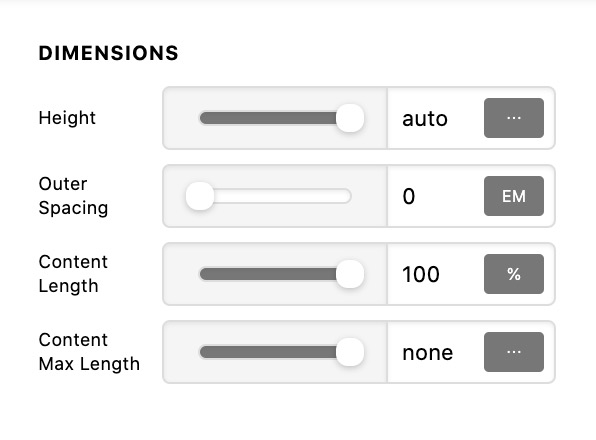
Thanks for posting in! Please edit your footer and set the height of your bar to auto.
Screen Shot 2021-01-16 at 12.28.10 PM

You may need to check out these video tutorials:

Kindly let us know how it goes.

Thanks for that tip.

Changing the Bar height to auto improved the layout and appearance in the editor, and probably gave a small improvement in layout in the live browser.

The bottom footer text line is still pushed below the window view when decreasing the window width but this is just the bottom of the footer being pushed lower, and scrolling down shows the bottom line.

My viewing of the page in this way is not something a typical user would do and I think it’s common to have to adjust the vertical view position when resizing a window.

Thanks for the suggestion.

Hi Robert,

I test your website on Google Chrome and when I resize the windows, the QBCC number is just visible. Would you mind sharing a screenshot or video in order for us to properly determine your issue?

Hope that helps.

Thank you.

This topic was automatically closed 10 days after the last reply. New replies are no longer allowed.