Border on v2 text element not showing in Cornerstone

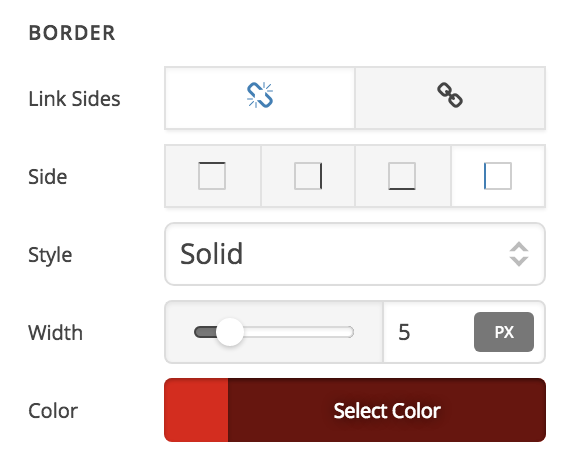
When I add a text element (v2) and add a border to just one of the 4 edges, the border does not show up in Cornerstone. Or, at least it does not show up in a visible color (the layout will still shift around when I increase the border thickness). The border shows up fine on the live site, as well as in Cornerstone BEFORE I hit the edit button. If I use “link sides” - everything seems to work correctly.

Both X and Cornerstone are on latest versions (oct. 26 release)
1 Like

Hi there,

Thank you for the detailed description of the matter. I confirm this bug and it is happening to my installation too. I added an official bug report regarding this:

Kindly stay tuned for upcoming releases to have a fix regarding this.

Thank you.

2 Likes

Hi again. I need to add that this bug is not only affecting the text element. I am also seeing this on the column “element”. This leads me to believe it might affect every part of Cornerstone, though I have not tested any further.

Hi There,

Thank you for the update. Yes, it affects section, columns and elements because they are using the same advance control settings.

This topic was automatically closed 10 days after the last reply. New replies are no longer allowed.