Border on slider and image padding

Hello, I trust you’re all doing well.

Can you please help with the following? Haven’t been able to figure it out :frowning:

  • I want to get rid of the borders on the simple slider and also remove the top and bottom padding. Please see screen-shot:
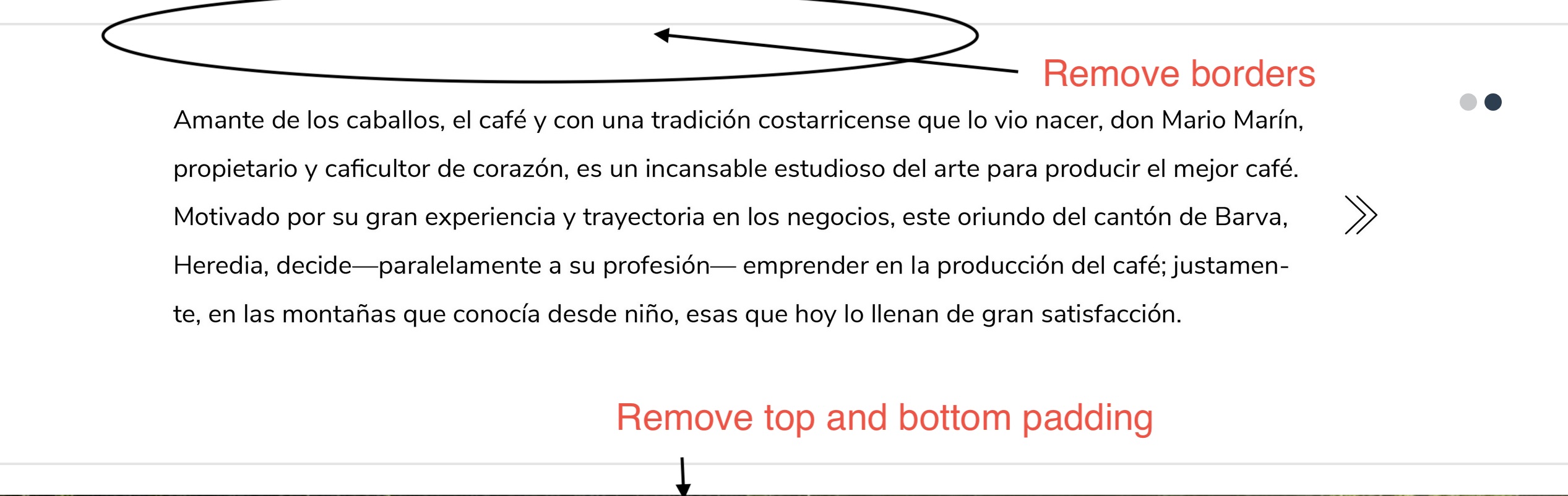
  • I also need to add a “padding-bottom” to these images so that when viewed on mobile, there’s actually some space between them. Please see screen-shot:

I’m sharing the links on a private note. Thanks very much!!

Hello Jacko,

Thanks for writing in!

Please add following CSS under X > Theme Options > CSS:

.x-flexslider-shortcode-container.with-container {
    border: 0;
    padding-bottom: 0;
}

Please inspect the Section and under Customize > Setup > Class add a class name. After that add following CSS under X > Theme Options > CSS:


@media only screen and (max-width: 600px) {
  .mobile-spacing .x-column {
    margin-bottom: 10px;
}
}

To learn more about media queries please take a look at following resource.

https://www.w3schools.com/css/css_rwd_mediaqueries.asp

Thanks.

Thank you very much for your help. Best regards!

You’re welcome, Jacko.

This topic was automatically closed 10 days after the last reply. New replies are no longer allowed.