BookingWPs shortcode doesn't conform to content area

Hi,

I have a problem with one of my content areas. The item I inserted conforms in almosts all website sizes to the content area including in the mobile view, however, in on particular size one dropdown menu of the item (see screenshot) doesn’t conform to the content area.

Is there a way to force the item to ‘limit’ itself to the content area?

Thanks in advance,

JP
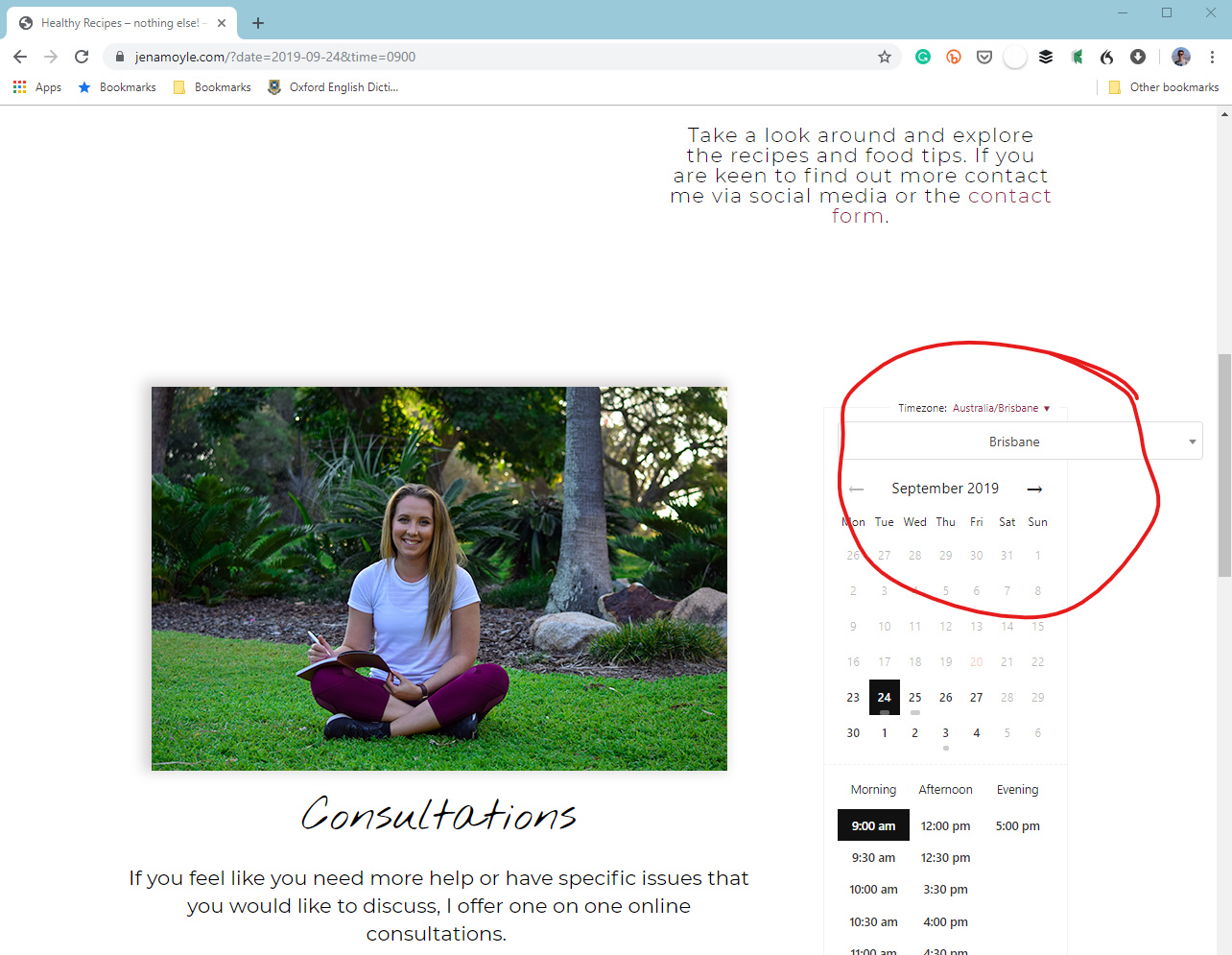
Hey JP,

I have checked your site and there is an inline CSS that sets the width of the select element that is why it is not responsive.

Try adding this code in X > Theme Options > CSS:

@media (max-width: 564px) {
    .select2.select2-container {
        width: 100% !important;
    }
}

However, please note that that this only overrides the default CSS that comes the plugin that you are using. It still would be best to get in touch with the plugin developer and let them know about this issue.

Hope this helps.

Hi there,

thanks for the quick reply. Unfortunately, that didn’t solve the problem. Any other possible short term solutions? I will get in touch with the developer either way.

Thanks,

JP

Hey JP,

Please try removing the media query in the code and just use:

    .select2.select2-container {
        width: 100% !important;
    }

Hope this helps.

Hi Jade,

thank you, that did the trick.

Best,

JP

You’re welcome, JP.

This topic was automatically closed 10 days after the last reply. New replies are no longer allowed.